Your notes. Every assistant.
Give your AI
long-term memory.
Stop re-explaining yourself.
Save your plans, decisions, and preferences in Hjarni. Ask ChatGPT or Claude to find them in any new chat, and update them as things change.
25 notes free, forever. No credit card required.
From the people who use it
Hjarni ran the whole Labeur launch. Scope decisions, landing page copy, App Store submission, launch day checklist, all in one place and all in sync with Claude. I stopped re-explaining myself to the AI. From first sketch to live in the store.
My notes, generated by AI, shared with my team, so our AI agents always have the full context of everything.
I use it to keep my different notes and writing projects organized and so my ChatGPT remembers everything we worked on so I don't have to start over from the beginning every time I leave my project and come back later. It hasn't replaced anything. I was lucky enough to find it right from the beginning
- Notes read or updated by AI each day
-
9,800+
Notes a day read or
updated by AI - Knowledge bases with an AI assistant connected
-
2,800+
Knowledge bases
connected to an AI - Notes stored in Hjarni
-
41,600+
Notes stored, in
plain Markdown
Getting started
Getting started is simple.
See ChatGPT and Claude use the same notes in this 34-second recording.
01 · Save in ChatGPT
Request: Save our North Coffee launch plan in Hjarni.
Result: Saved: October 15, €2,000 budget, local partnerships.
02 · Recall in Claude
Request: Check Hjarni. What’s our launch plan?
Result: Claude finds the same plan: October 15, €2,000 budget.
03 · Update in Claude
Request: Move the opening to October 22. Keep the budget unchanged.
Result: Claude updates the existing note. The €2,000 budget stays.
04 · A new ChatGPT chat
Request: Check Hjarni. When do we open now?
Result: October 22. ChatGPT retrieves the updated plan.
Read the video transcript
Save it in ChatGPT. A user asks ChatGPT to save a North Coffee launch plan in Hjarni: October 15, 2026; a €2,000 budget; local partnerships. ChatGPT confirms it is saved.
Pick it up in Claude. In a separate conversation, Claude searches Hjarni and retrieves the same launch date, budget and promotion plan.
Plans change. Update the note. The user asks Claude to change the opening date to October 22, 2026. Claude updates the existing Hjarni note and preserves the budget and promotion plan.
Back in ChatGPT. Already up to date. In a new chat, ChatGPT reads the Hjarni launch plan and answers with the revised opening date: October 22, 2026.
Stop re-explaining. Keep the context. One knowledge base. Across your AI tools. hjarni.com.
-
Save one useful note
Ask your assistant to save a project, decision, or preference in Hjarni.
-
Try it in a new chat
Ask it to check Hjarni before answering. Make this a habit.
Made for the way you work
Context you can keep using.
Beyond built-in memory: shared notes you can read, correct, and take with you.
Shared across assistants
ChatGPT, Claude, and your coding tools can read and update the same notes.
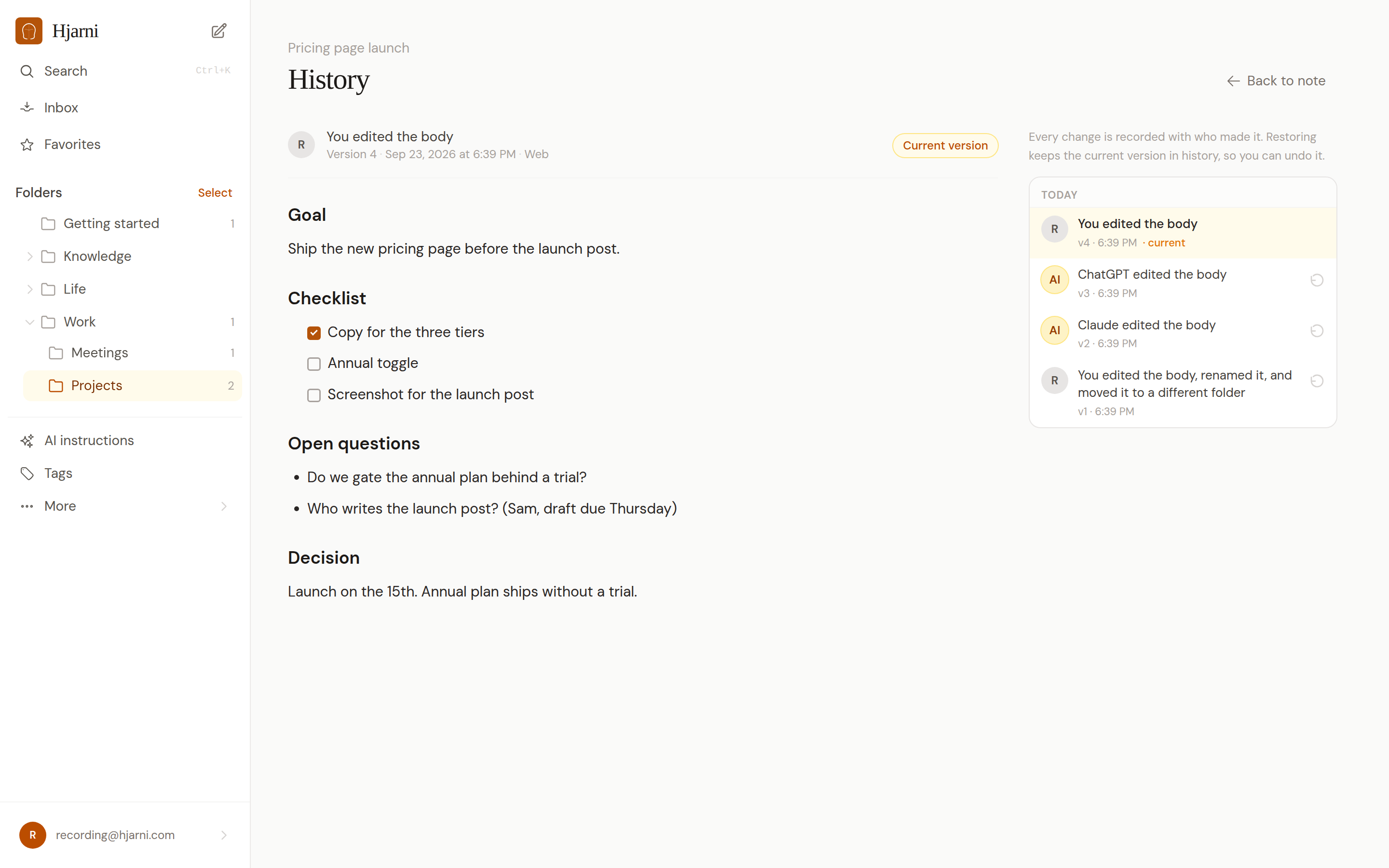
Every edit recorded
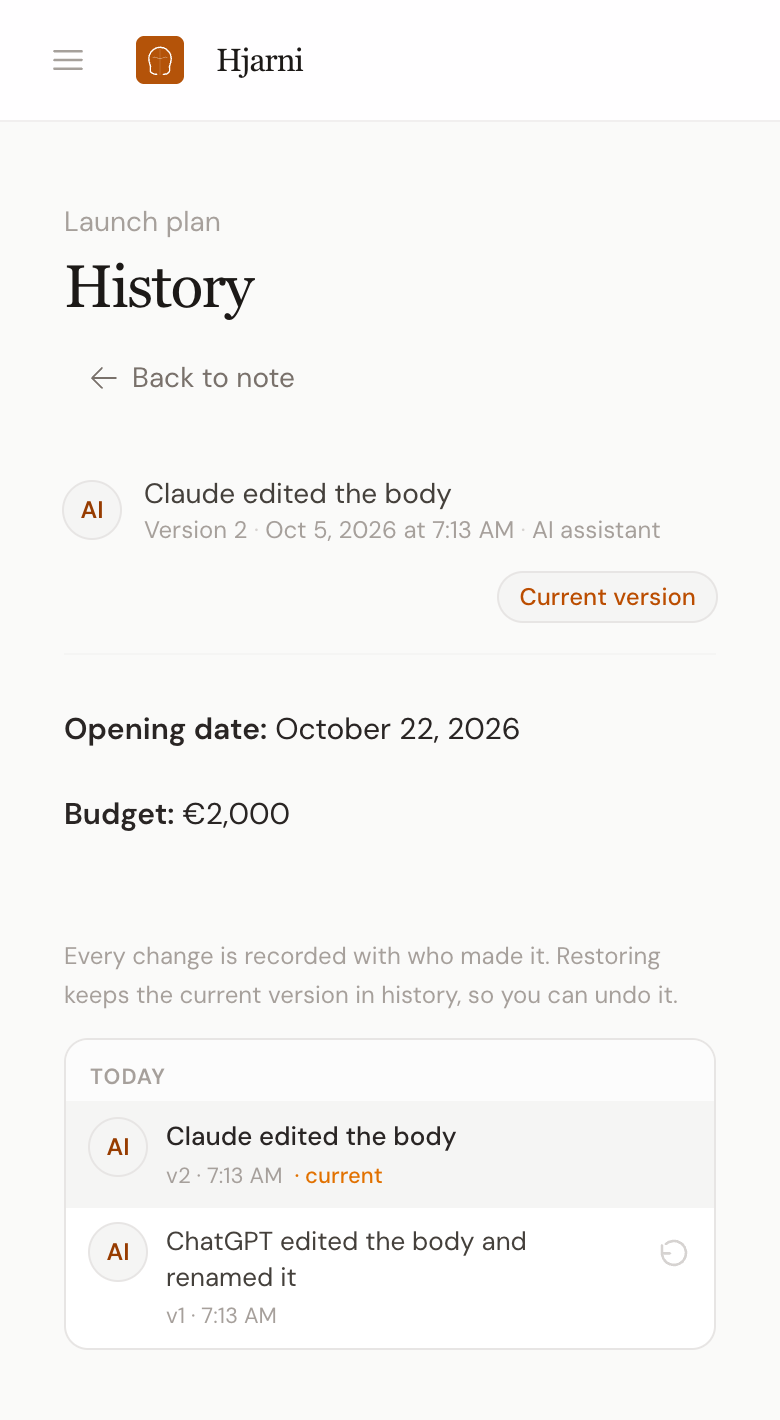
See who changed what, and restore an earlier version whenever you need to.
Your notes, your rules
Folder instructions carry your conventions. Your notes stay in Markdown, connect through MCP, and are ready to export.
3.7 updates per new note in our 30-day study of 108,613 MCP calls, ending August 25, 2026. Activity measured; edit quality not assessed.
Also works with Cursor, Claude Code, Windsurf, and Cline. Get the mobile apps and web clipper.
Inside Hjarni
You can see every change.
Your notes live in Hjarni. Open them yourself, check who changed what, and restore an earlier version.
25 notes free, forever. No credit card required.
Templates
Don't start from a blank page.
Choose a starting point. Your assistant creates the folders and instructions.
Reading List
Track books, articles, and what you learned.
Research Literature Notes
Keep sources, findings, and research questions together.
Developer Project Memory
Save architecture, conventions, decisions, and runbooks.
Customer Interview Repository
Collect interviews, quotes, and recurring themes.
Writing Style Guide
Give your assistant your voice, rules, and examples.
For teams, too
One shared set of notes. Every teammate's AI.
Save your team's decisions and instructions in a shared space. Each teammate's ChatGPT or Claude can find and update the same notes.
Your first 25 team notes are free.
Room to grow
Simple pricing
Plans for personal notes and shared team spaces. AI subscriptions are separate.
Free
$0
forever
Up to 25 notes, full MCP & API access, and 20 MB across five files.
Pro
$12
/month
Unlimited notes, unlimited file attachments, and sharing. One memory across every AI you use.
Teams
$20
/seat/month
Shared memory for a team's AI tools. Free for your first 25 team notes.
2 months free on annual billing. Cancel anytime, you keep every note.
- EU-hosted (Hetzner)
- Encrypted in transit & at rest
- We never train on your notes
- Export to Markdown anytime
- GDPR-aligned
Is this just another note-taking app?
No. It's a knowledge base your AI can actually use. Your notes become live context for every AI conversation.
ChatGPT already has memory. Why do I need this?
Built-in memory can help with preferences inside your assistant. Hjarni adds notes you can read, edit, organize, and export, shared across the assistants you connect. Ask your AI to check the relevant notes before answering and update them when facts change. See the full comparison: Hjarni vs ChatGPT memory.
Why not Notion or Obsidian?
Great tools. Different goals. Hjarni is built from the ground up for AI. Custom instructions per folder. Team-wide AI conventions. An MCP server designed around your knowledge, not bolted onto a workspace. See how Hjarni compares to Notion, Obsidian, ChatGPT Projects, Claude Projects, and Apple Notes.
What's MCP?
Model Context Protocol. An open standard that lets AI assistants connect to external tools and data. Hjarni has a built-in MCP server. Your AI reads and writes your notes directly.
Which AI assistants work with Hjarni?
Connect ChatGPT or Claude from their directory listings, subject to availability for your account and workspace. Cursor, Claude Code, Copilot and other MCP clients can connect to the same notes. Ask your connected assistant to check Hjarni when it needs your saved context.
How do I give my AI a memory?
Connect Hjarni from the ChatGPT or Claude directory and sign in or create a free account. Ask your assistant to save one useful note. In a new chat, ask it to check Hjarni and retrieve that note. For recurring work, add an instruction to check your notes before answering.
What happens to my data?
Your notes live on our servers. Export everything as Markdown anytime. We don't train AI on your data. We don't sell it. It's yours.
Can I collaborate with others?
Yes. Create a team, invite members, share folders. Everyone's AI benefits from the shared knowledge.
Can I self-host Hjarni?
Not currently. It's a hosted service. That keeps things simple, for you and for us.
Start here
Write once. You both remember.
25 notes free, forever. No credit card required.
Works with Claude, ChatGPT, Cursor and any MCP client.