For ChatGPT, Claude and Codex
Your notes.
Your AI’s memory.
Give ChatGPT, Claude and Codex the same notes to read and update.
Ask your assistant to save what matters in Hjarni. In your next chat, ask it to continue from those notes.
25 notes free, forever. No credit card required.
From the people who use it
Hjarni ran the whole Labeur launch. Scope decisions, landing page copy, App Store submission, launch day checklist, all in one place and all in sync with Claude. I stopped re-explaining myself to the AI. From first sketch to live in the store.
My notes, generated by AI, shared with my team, so our AI agents always have the full context of everything.
I use it to keep my different notes and writing projects organized and so my ChatGPT remembers everything we worked on so I don't have to start over from the beginning every time I leave my project and come back later. It hasn't replaced anything. I was lucky enough to find it right from the beginning
- Notes read or updated by AI each day
-
14,700+
Notes a day read or
updated by AI - Knowledge bases with an AI assistant connected
-
2,600+
Knowledge bases
connected to an AI - Notes stored in Hjarni
-
61,800+
Notes stored, in
plain Markdown
Getting started
Getting started is simple.
See ChatGPT and Claude use the same notes in this 34-second recording.
01 · Save in ChatGPT
Request: Save our North Coffee launch plan in Hjarni.
Result: Saved: October 15, €2,000 budget, local partnerships.
02 · Recall in Claude
Request: Check Hjarni. What’s our launch plan?
Result: Claude finds the same plan: October 15, €2,000 budget.
03 · Update in Claude
Request: Move the opening to October 22. Keep the budget unchanged.
Result: Claude updates the existing note. The €2,000 budget stays.
04 · A new ChatGPT chat
Request: Check Hjarni. When do we open now?
Result: October 22. ChatGPT retrieves the updated plan.
Read the video transcript
Save it in ChatGPT. A user asks ChatGPT to save a North Coffee launch plan in Hjarni: October 15, 2026; a €2,000 budget; local partnerships. ChatGPT confirms it is saved.
Pick it up in Claude. In a separate conversation, Claude searches Hjarni and retrieves the same launch date, budget and promotion plan.
Plans change. Update the note. The user asks Claude to change the opening date to October 22, 2026. Claude updates the existing Hjarni note and preserves the budget and promotion plan.
Back in ChatGPT. Already up to date. In a new chat, ChatGPT reads the Hjarni launch plan and answers with the revised opening date: October 22, 2026.
Stop re-explaining. Keep the context. One knowledge base. Across your AI tools. hjarni.com.
-
Connect your assistant
Connect Hjarni to ChatGPT or Claude with your free Hjarni account. How Hjarni uses MCP.
-
Save one useful note
Ask your assistant to save a project, decision, or preference in Hjarni. For client work, start with the Client Project Context template.
-
Try it in a new chat
Ask it to check Hjarni before answering. Make this a habit.
Everywhere you work
Write it anywhere. Your AI can too.
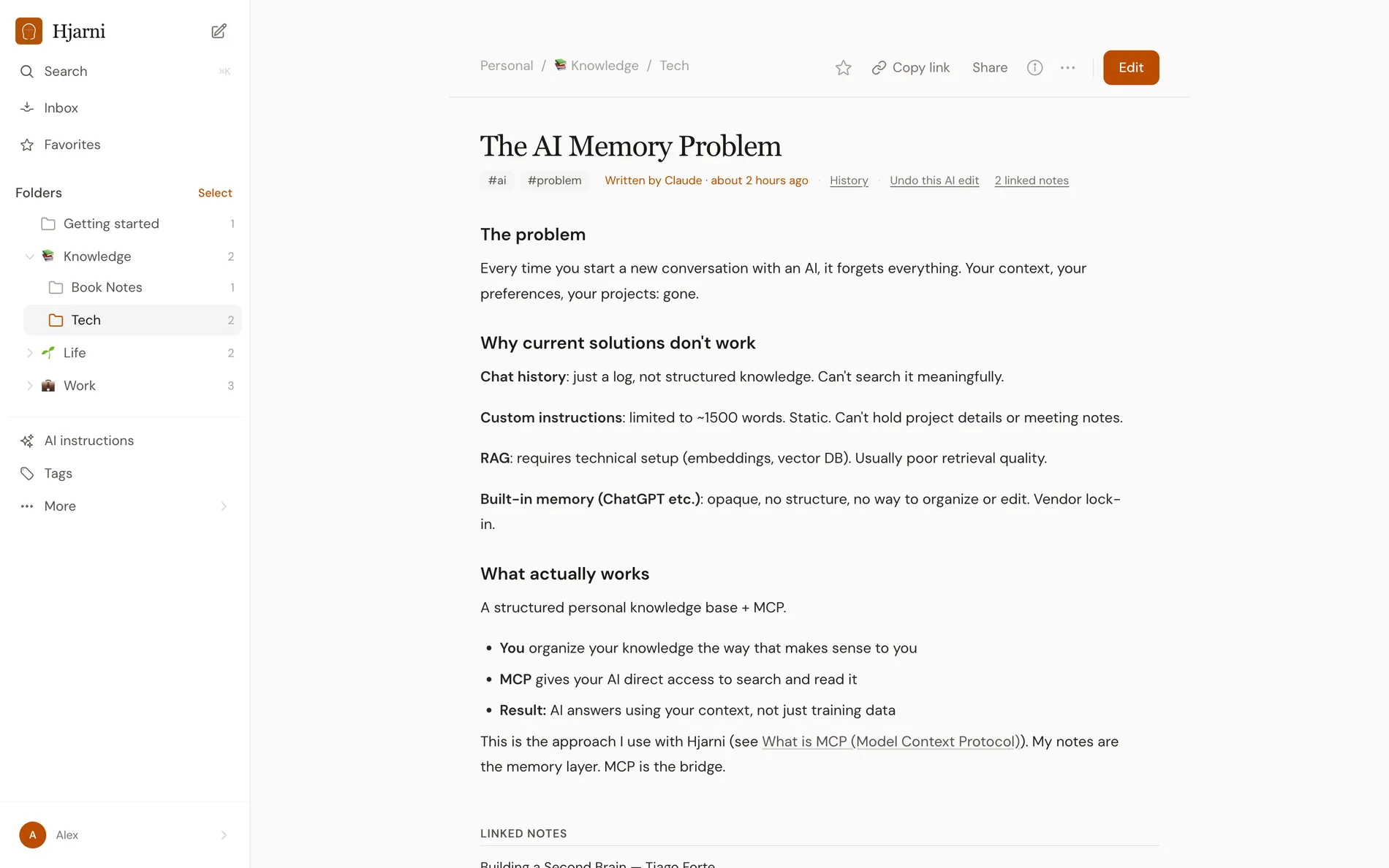
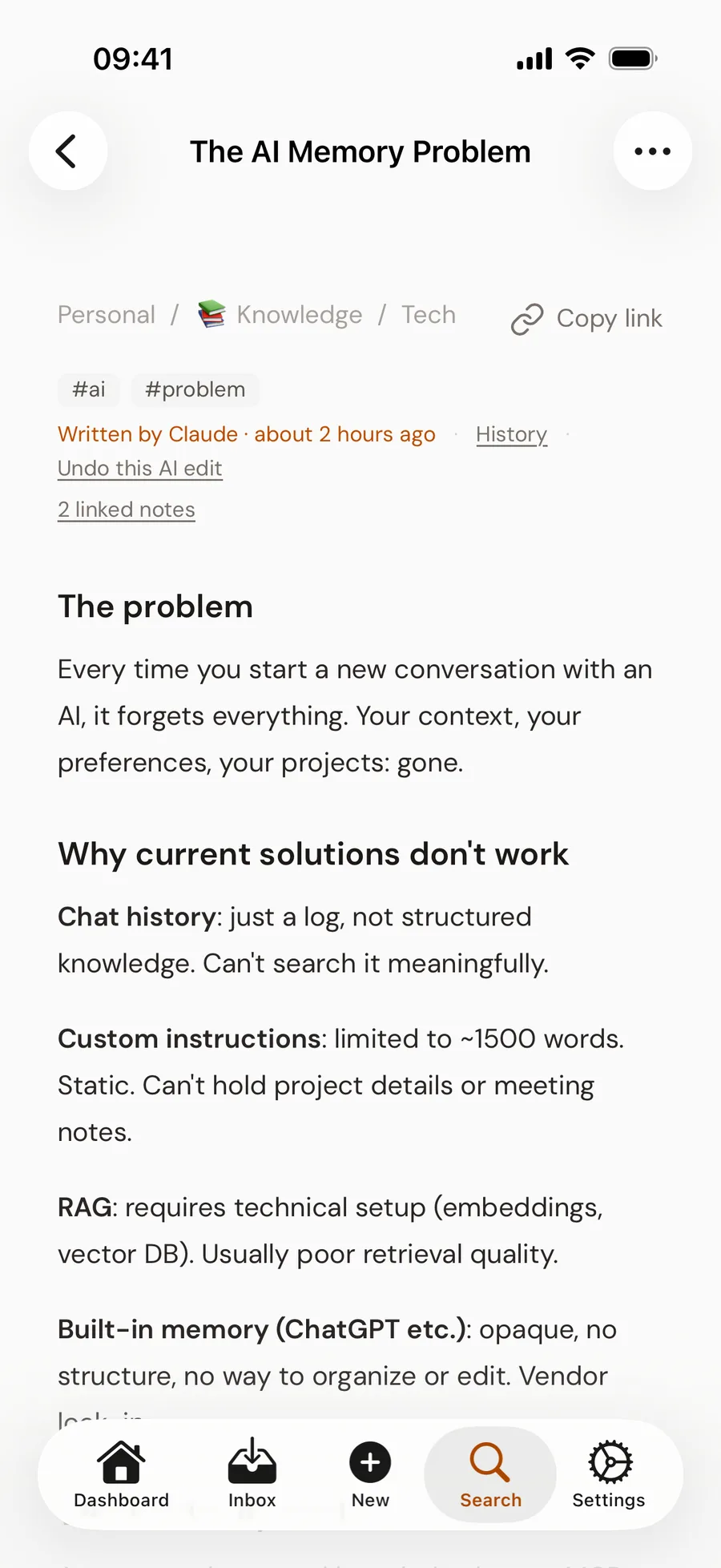
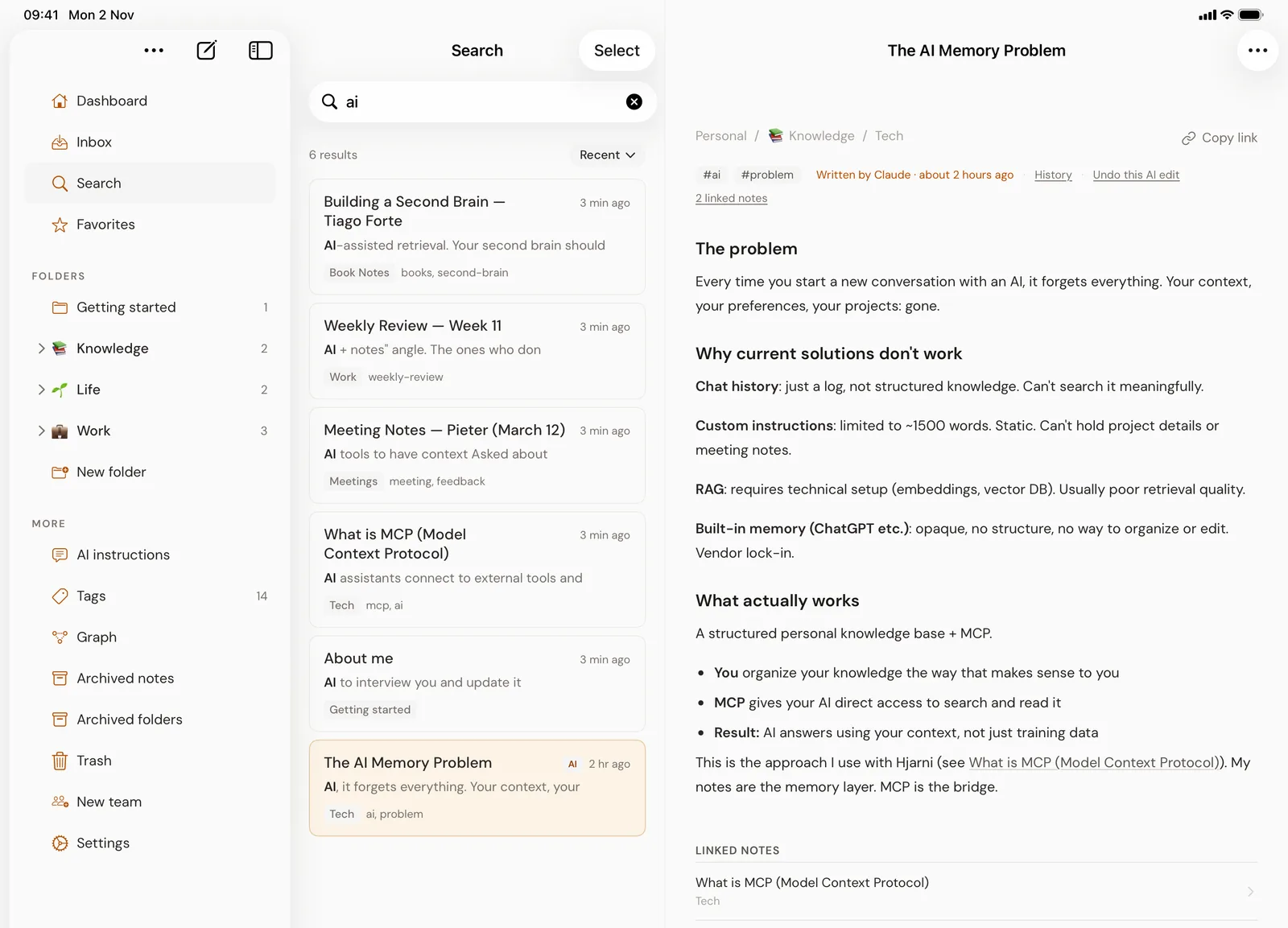
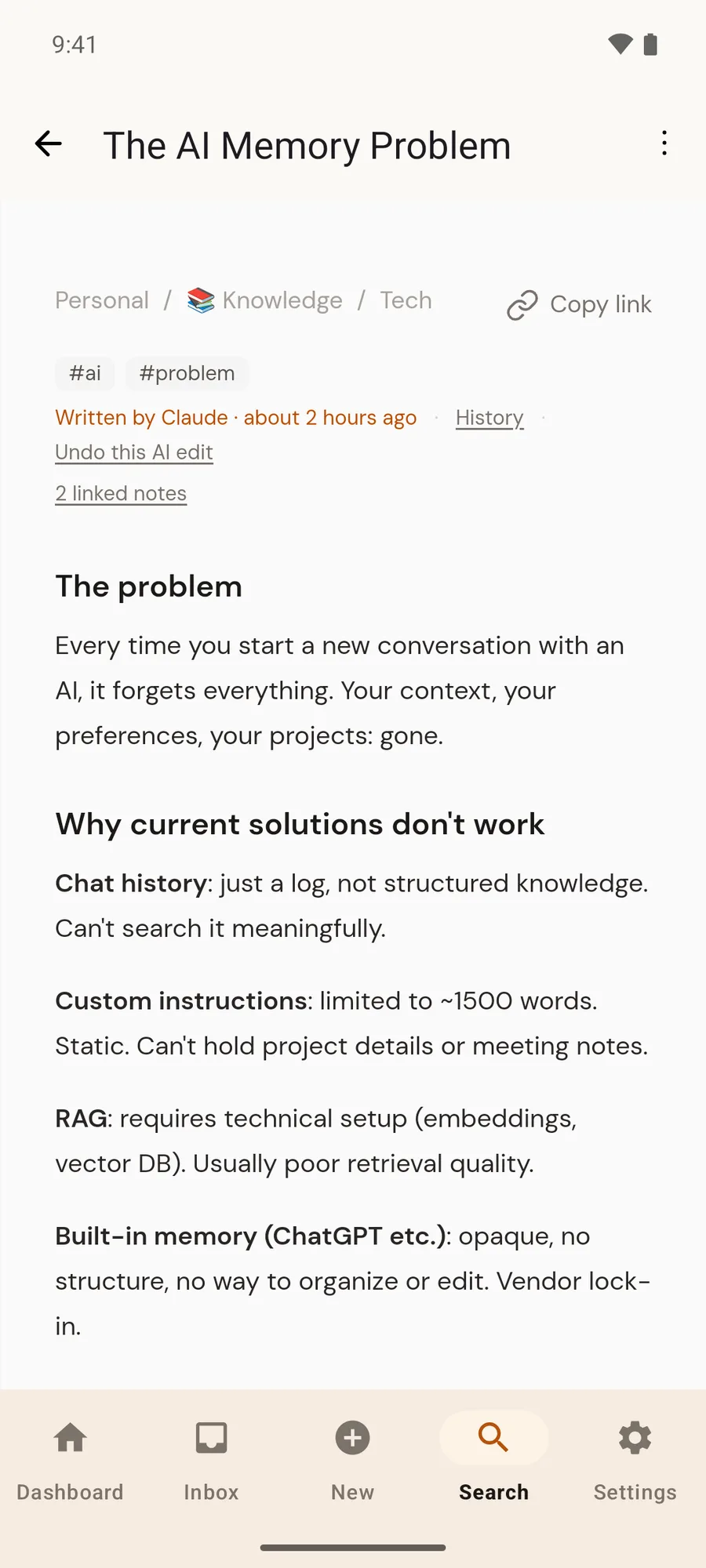
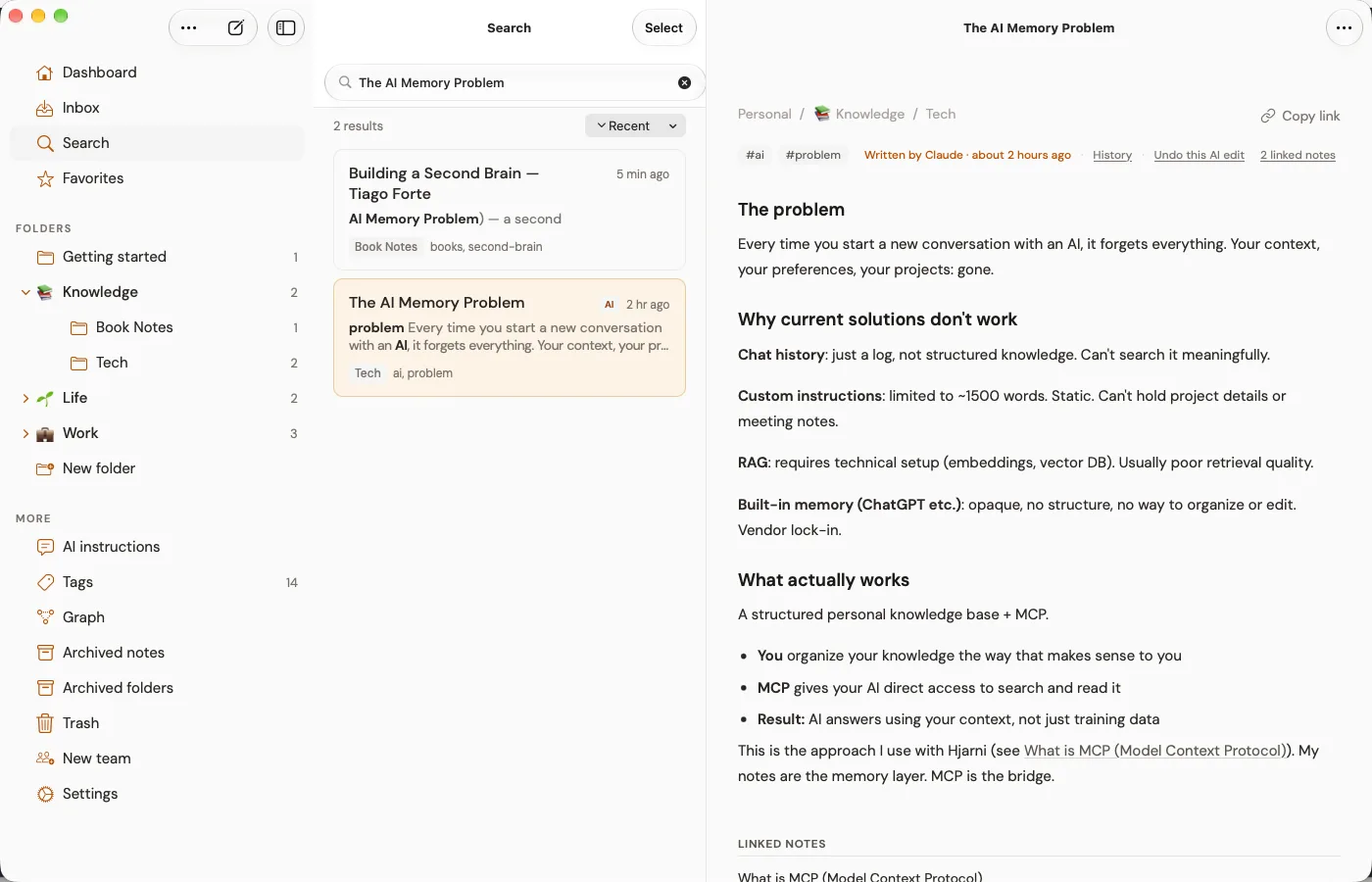
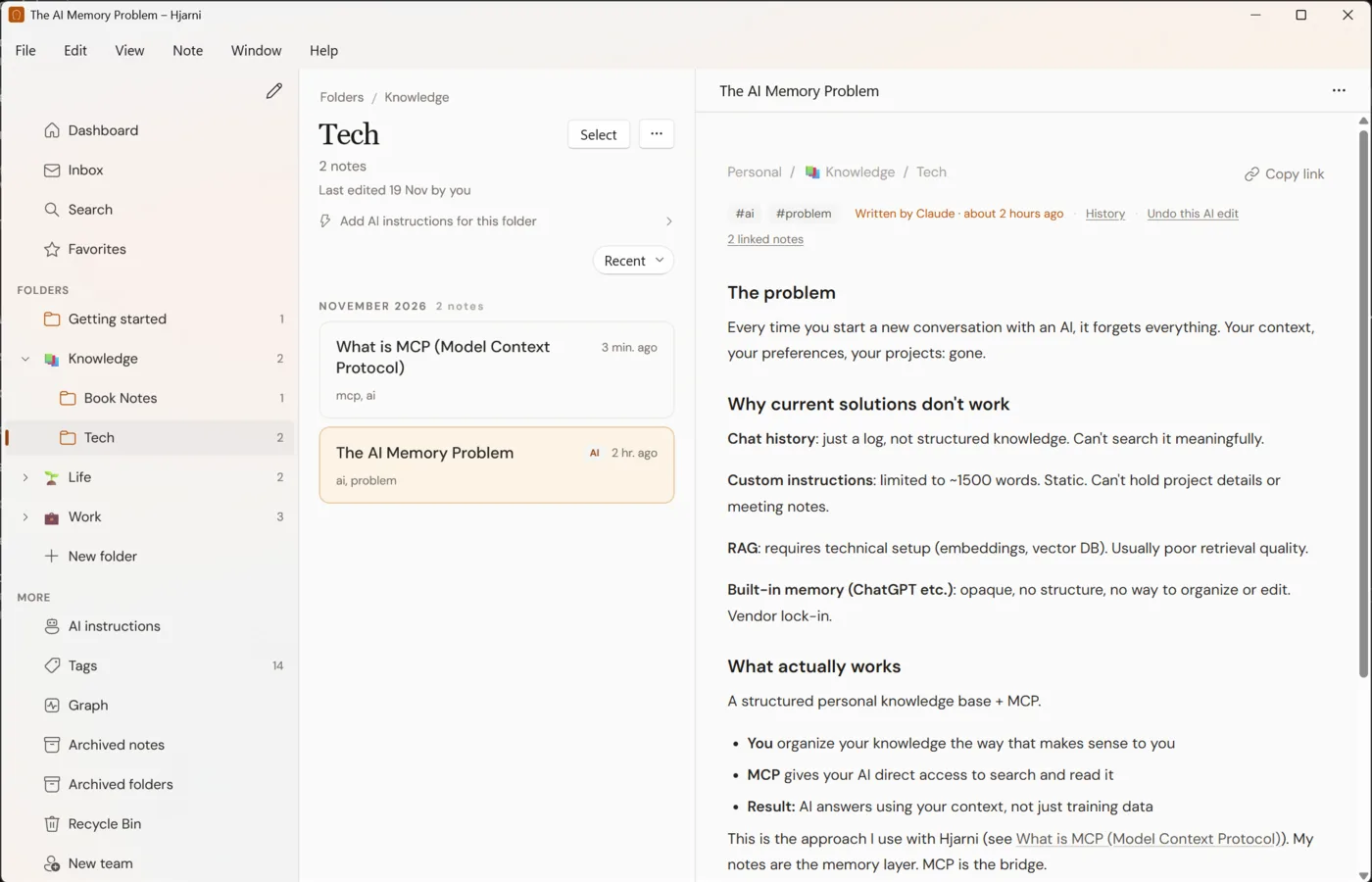
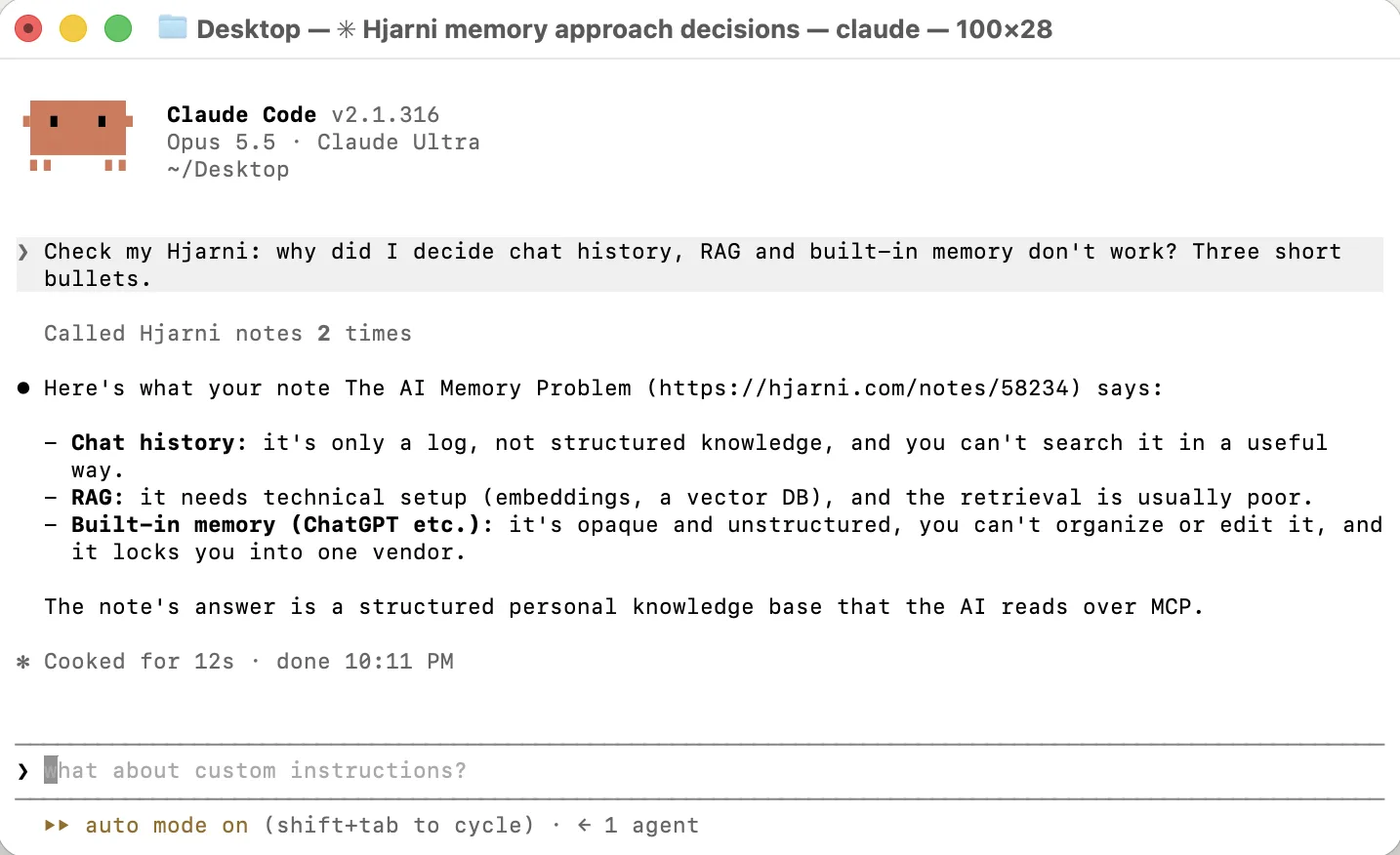
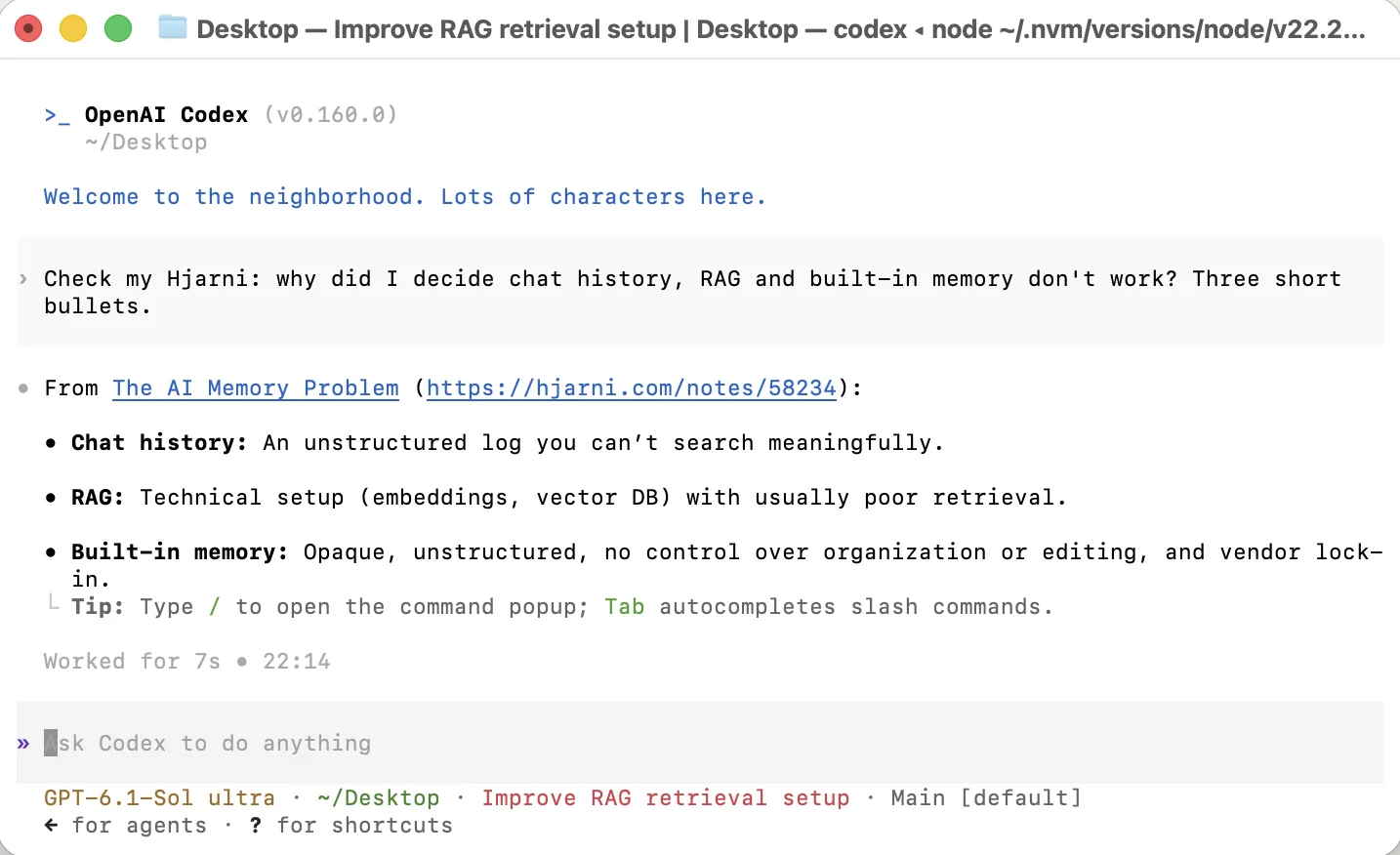
One set of notes on the web, iPhone, iPad, Mac, Windows and Android. Ask ChatGPT, Claude, Claude Code, Codex or any MCP client to find, save or update them.
Apps you open
Assistants that read and write it
- CursorIDE
- GitHub CopilotVS Code
- PerplexityWeb
- Gemini CLICLI
- WindsurfIDE
- ClineVS Code
- ZedIDE
- JunieJetBrains
- RaycastLauncher
One URL for all of them: https://hjarni.com/mcp
The full app at hjarni.com: folders, tags, note history, and the instructions your assistant follows. Get started free
Read and edit on the go, and save from any app through the share sheet. Download on the App Store
The same app with room for a sidebar: folders on the left, your notes beside them. Download on the App Store
The same notes and features as the web. Share a link or a photo from any app straight in. Get it on Google Play
A real Mac app: sidebar, list and note side by side, in as many windows as you like. Download for Mac
A real Windows app: sidebar, list and note side by side, several windows, and Ctrl+N for a new note. For Windows 10 or 11 on an Intel or AMD PC. Download for Windows
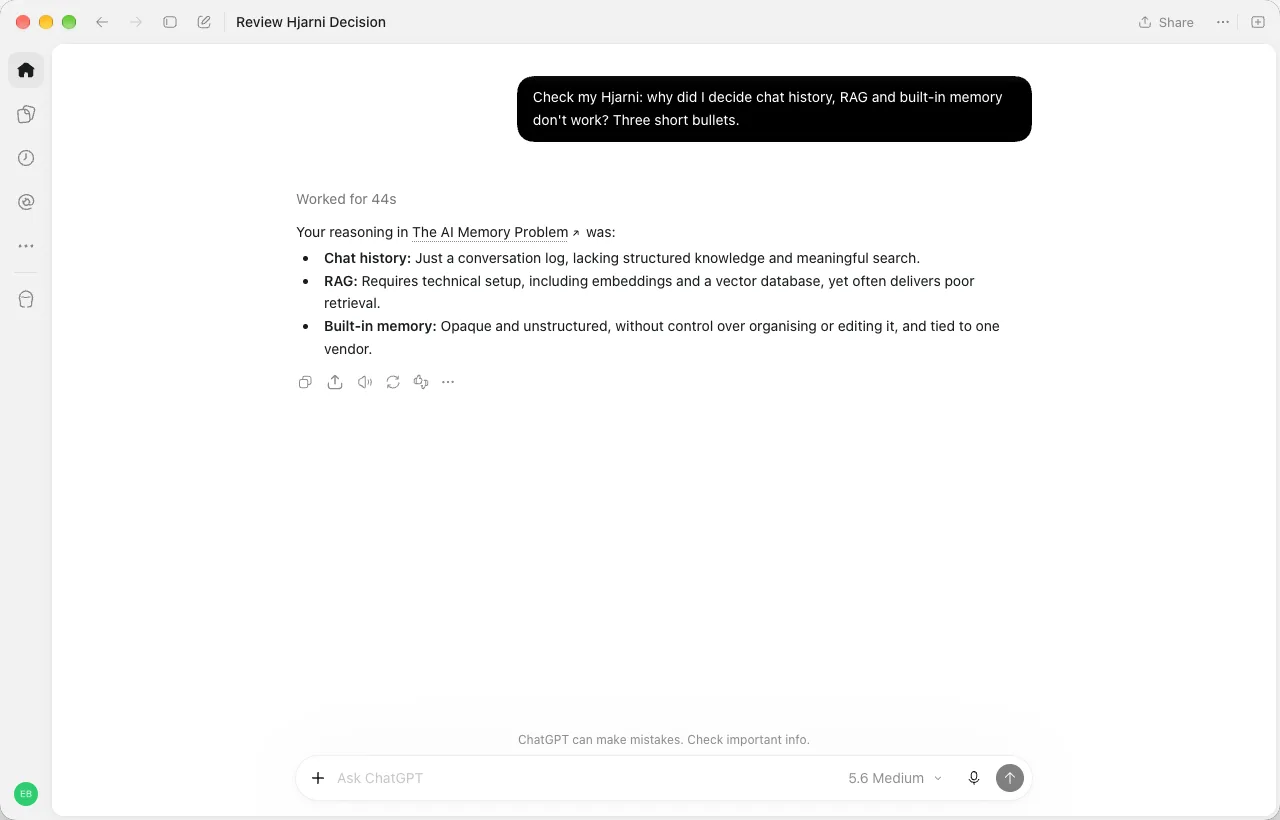
Ask ChatGPT to save, find or update a note, then open it in a panel right in the chat. Add Hjarni to ChatGPT
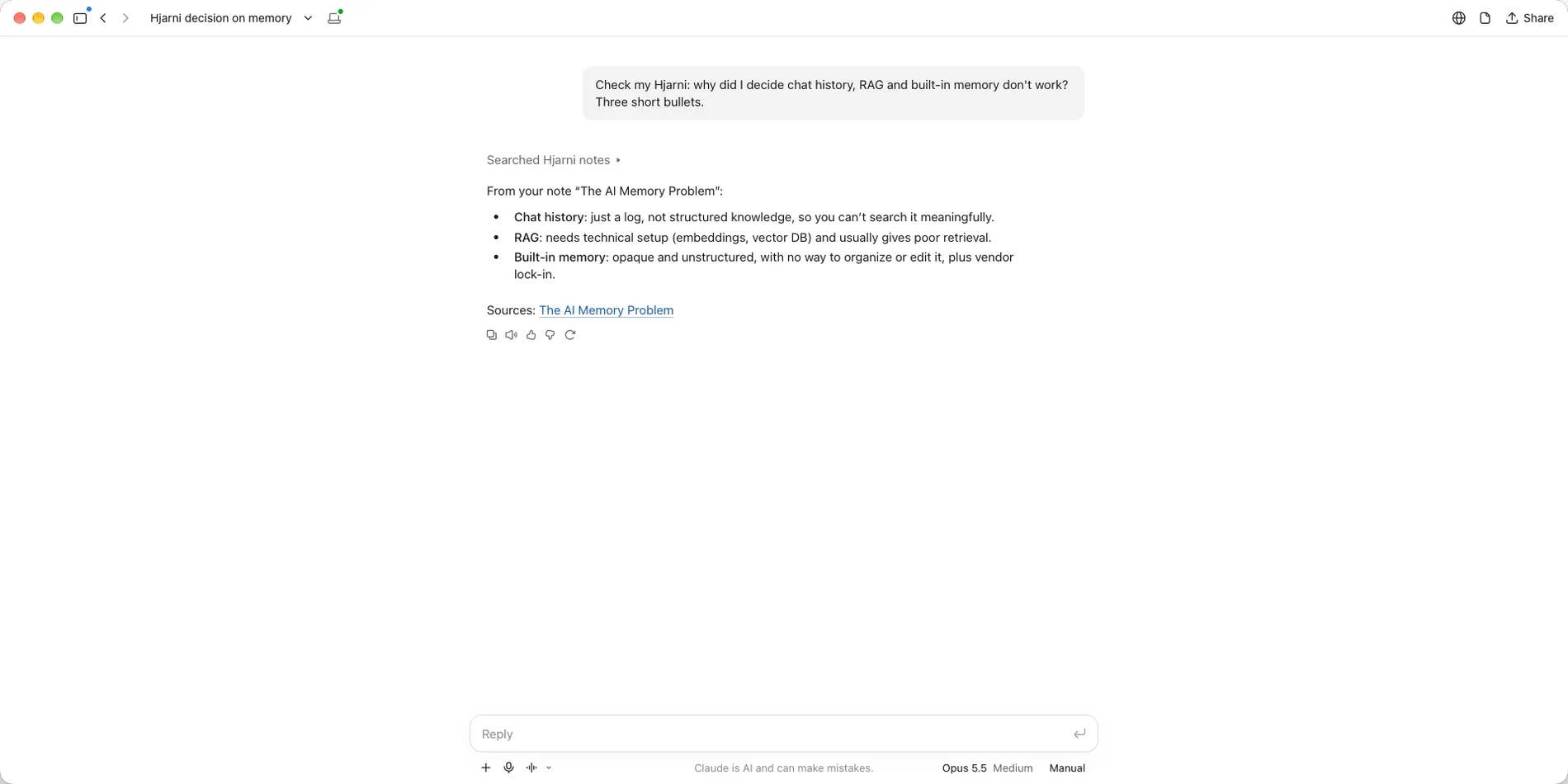
Ask Claude to save a decision as a note, then ask about it later. It names the note it used. Add Hjarni to Claude
One command adds Hjarni. Ask Claude Code to read your conventions before it starts, or to save a decision. Set up Claude Code
Add Hjarni as an MCP server and Codex reads your notes while it works, and writes back what you ask it to. Connect over MCP
Cursor, Copilot, Perplexity, Windsurf, Zed and every other MCP client use the same URL. See every client
Your notes, your control
Shared notes. You stay in control.
Keep your projects, decisions and preferences in notes you can read, edit and take with you.
One note across assistants
Save with ChatGPT, update with Claude, then ask a new chat to read the latest version. You can edit the same note in Hjarni.
Choose which notes AI can access
Limit a connection to selected folders, make it read-only, or both. Manage access at sign-in or in Settings > Connections.
Review and restore saved edits
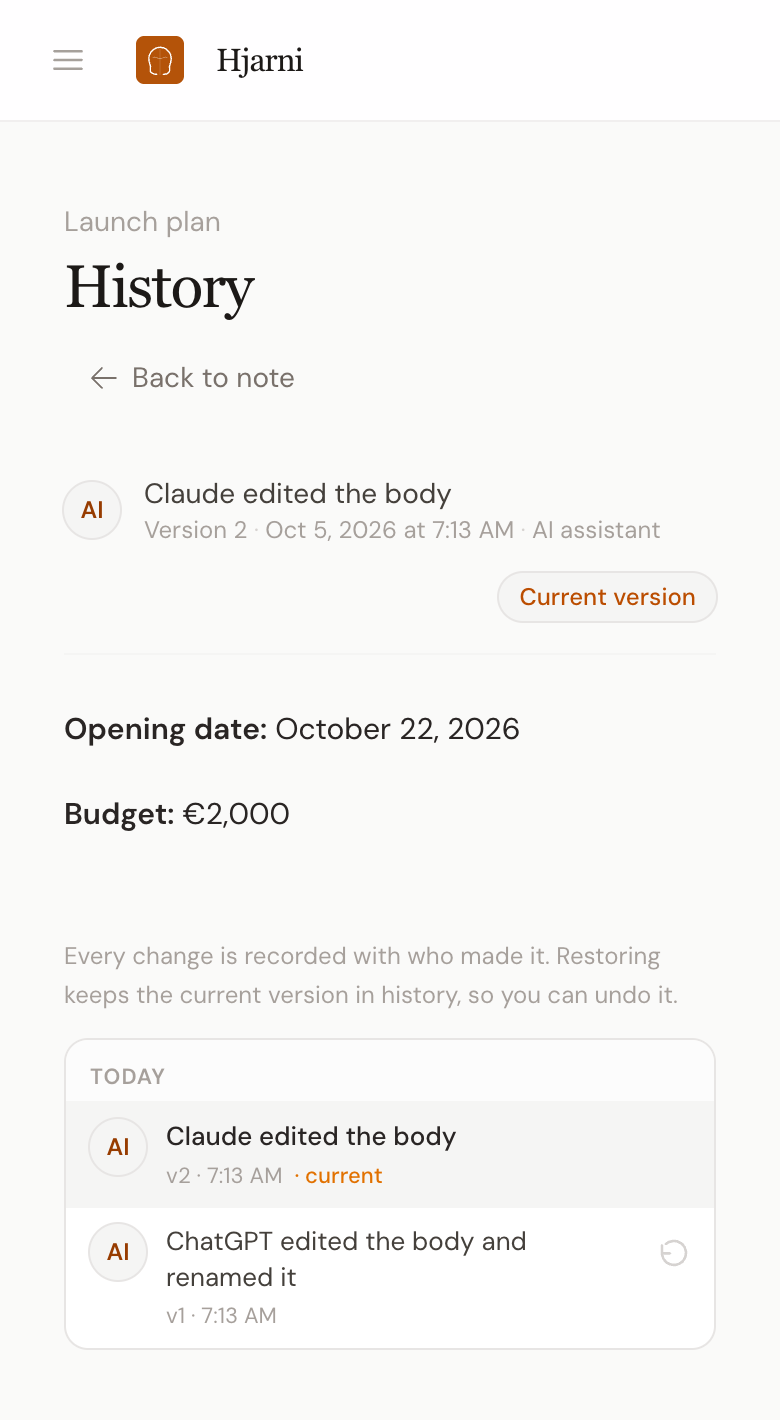
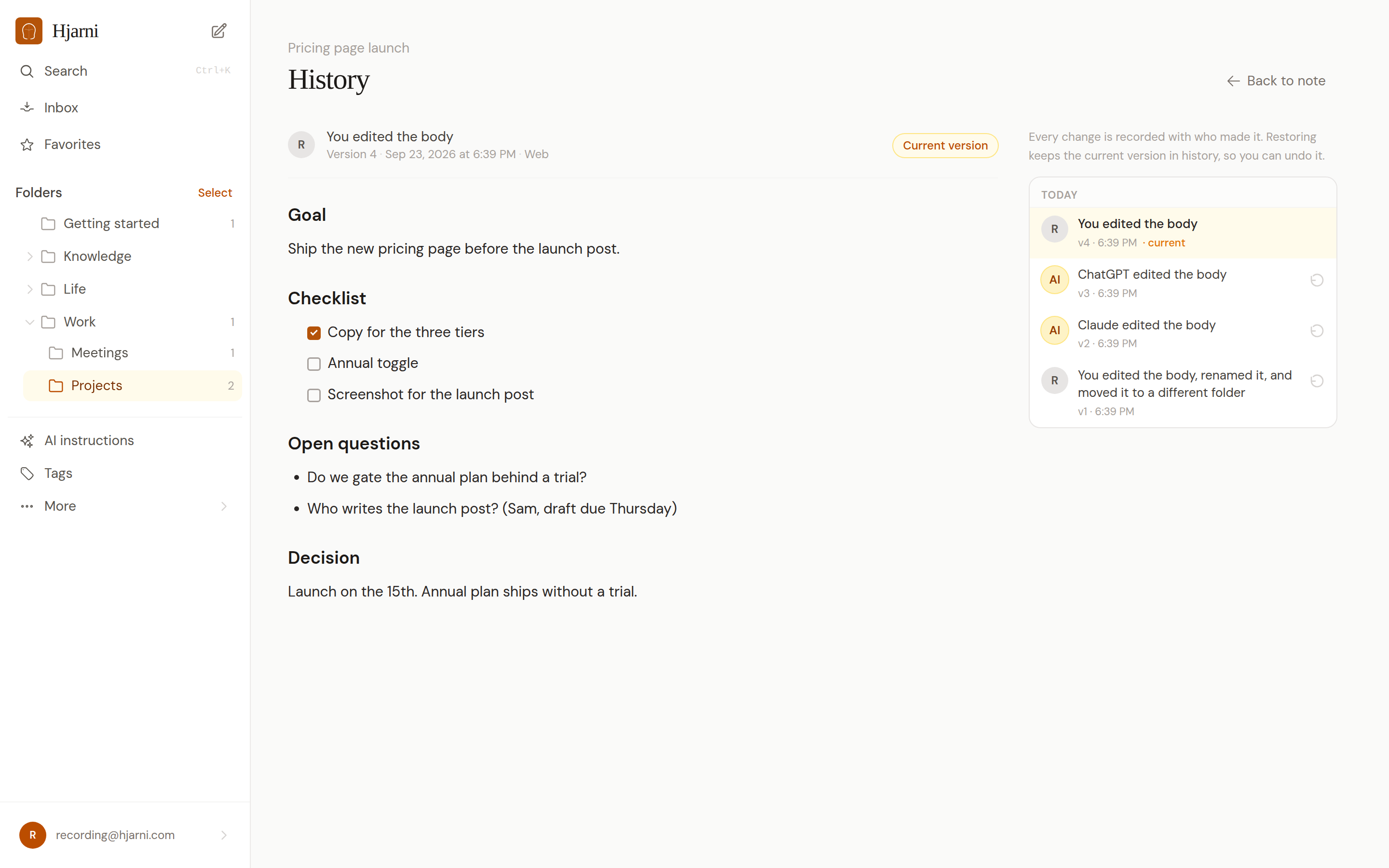
See who saved each version and compare the changes. Restore an earlier note body as a new version, with later edits kept in history.
Keep a Markdown copy
Organize notes with folders and tags. Export active notes and attachments in a Markdown ZIP, on every plan.
Hjarni has its own native apps. Free on every plan for iPhone, iPad, Mac, Android and Windows. Same account, same notes as the web. An internet connection is required.
3.7 updates per new note in our 30-day study of 108,613 MCP calls, ending August 25, 2026. Activity measured; edit quality not assessed.
Also works with Cursor, Claude Code, Windsurf, and Cline. Get the Chrome web clipper.
Inside Hjarni
Review and undo AI edits.
Compare saved versions from you, ChatGPT and Claude. Restore an earlier note body as a new version, keeping the later edits in history.
25 notes free, forever. No credit card required.
Templates
Don't start from a blank page.
Choose a starting point. Your assistant creates the folders and instructions.
Reading List
Track books, articles, and what you learned.
Research Literature Notes
Keep sources, findings, and research questions together.
Developer Project Memory
Save architecture, conventions, decisions, and runbooks.
Customer Interview Repository
Collect interviews, quotes, and recurring themes.
Writing Style Guide
Give your assistant your voice, rules, and examples.
Business Operating Manual
Write down your procedures and the decisions behind them.
For teams, too
One shared set of notes. Every teammate's AI.
Save your team's decisions and instructions in a shared space. Each teammate's ChatGPT or Claude can find and update the same notes.
Your first 25 team notes are free.
Room to grow
Simple pricing
Plans for personal notes and shared team spaces. AI subscriptions are separate.
Free
£0
forever
Up to 25 notes, full MCP & API access, and 20 MB across five files.
Pro
£10
/month
Unlimited notes, unlimited file attachments, and sharing. One memory across every AI you use.
Teams
£15
/seat/month
Shared memory for a team's AI tools. Free for your first 25 team notes.
2 months free on annual billing. Cancel anytime, you keep every note.
- EU-hosted (Hetzner)
- Encrypted in transit & at rest
- We never train on your notes
- Export to Markdown anytime
- GDPR-aligned
Can ChatGPT and Claude read and update the same notes?
Yes. Connect both to the same Hjarni account. Ask ChatGPT to save a project brief, then ask Claude to retrieve and update that same note. In a new chat, ask your connected assistant to check Hjarni for the latest version. The shared-notes recording and prompts show the round trip. Each assistant needs permission to read or write the note.
Can I undo an edit made by ChatGPT or Claude?
Yes. Open the note's History to see who saved each version and compare the text. Choose an earlier version, click Restore this version, and confirm. Hjarni saves the entire earlier note body as a new version and keeps the assistant's edit in history. See the ChatGPT edit and restore walkthrough.
Can I control how my AI uses my notes?
Yes. At sign-in or in Settings > Connections, limit each connection to selected folders, read-only access, or both. See the folder-access and read-only walkthrough. You can also write folder instructions to guide how an assistant works; permissions enforce access, while instructions guide behavior.
Can I use Hjarni without an AI assistant?
Yes. Hjarni is a hosted Markdown notes app. Write, search and organize notes with folders and tags in your browser or the free apps for iPhone, iPad, Mac, Windows and Android. When you connect ChatGPT or Claude, they can retrieve and update the same notes within the access you allow. An internet connection is required.
Which AI assistants work with Hjarni?
Connect ChatGPT or Claude from their directory listings, subject to availability for your account and workspace. Cursor, Claude Code, Copilot and other MCP clients can connect to the same notes. Ask your connected assistant to check Hjarni when it needs your saved context.
How do I give my AI a memory?
Connect Hjarni from the ChatGPT or Claude directory and sign in or create a free account. Ask your assistant to save one useful note. In a new chat, ask it to check Hjarni and retrieve that note. For recurring work, add an instruction to check your notes before answering.
Can I export my notes?
Yes. Download active notes and attachments as a Markdown ZIP on every plan. The standard ZIP excludes archived and trashed notes, revision history and folder instructions. Inspect a sample export and the export limits.
Can I collaborate with others?
Yes. Create a team, invite members, share folders. Everyone's AI benefits from the shared knowledge.
Can I self-host Hjarni?
Not currently. It's a hosted service. That keeps things simple, for you and for us.
Start here
Write once. You both remember.
25 notes free, forever. No credit card required.
Works with Claude, ChatGPT, Cursor and any MCP client.