Per-folder instructions for Claude and ChatGPT
Custom AI instructions,
per folder.
Different folders, different rules. Claude and ChatGPT read your folder-level instructions every time they touch a note. Tell them your conventions once. Stop re-explaining yourself.
Free to start. No credit card required.
The problem with one global setting
One AI. Many kinds of work.
ChatGPT's Custom Instructions are one global box. Claude's system prompt is one global box. Both treat your whole life as a single project.
But you don't work that way. Your runbooks need step-by-step format. Your customer interviews need the quote up front. Your recipes need metric units. Cramming all of that into one prompt makes none of it work well.
Hjarni puts the rules where the content is. Each folder has its own.
Inheritance, in pictures
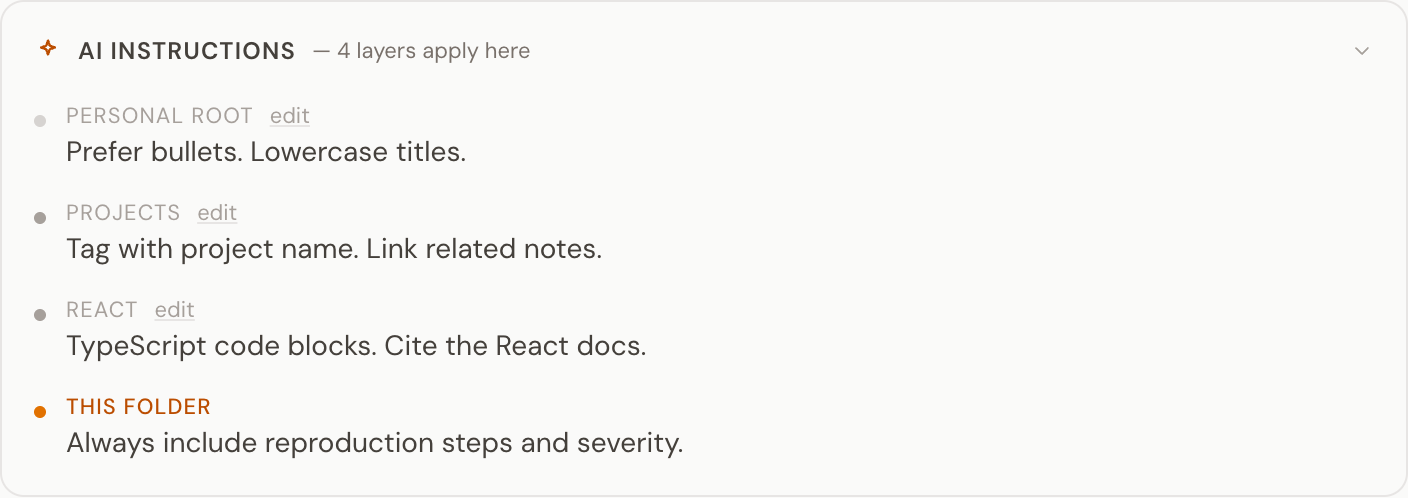
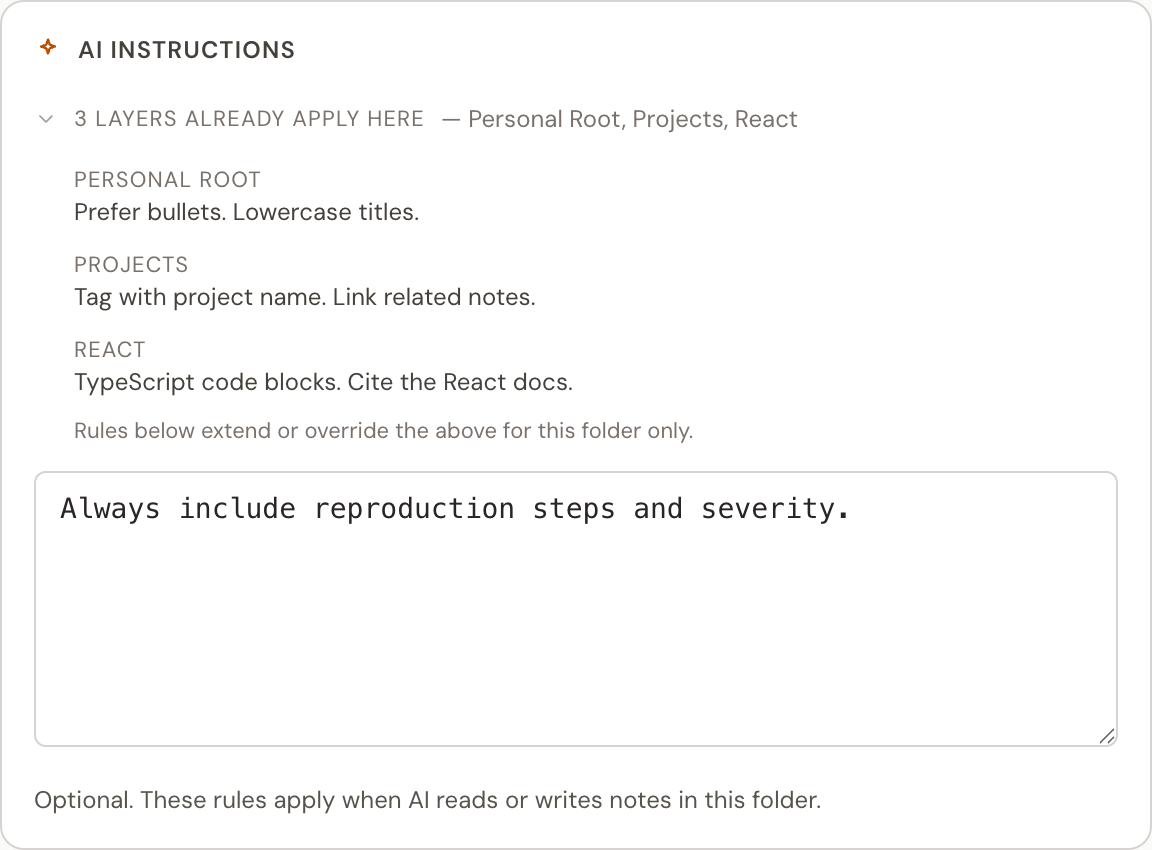
Rules stack on the way down.
Open a note deep in the tree. Claude and ChatGPT read every rule on the way to it.
Works with both
Claude and ChatGPT. Same rules.
Hjarni's MCP server hands your folder instructions to whichever AI is reading the note. No vendor lock-in. No copy-paste between tools.
What it isn't
Not the same as Custom Instructions or Projects.
ChatGPT Custom Instructions
One global box. ChatGPT only. Same rules whether you're writing recipes or shipping production code.
Claude Projects
One system prompt per project. Flat. No folder hierarchy. No inheritance. Claude only. Your ChatGPT doesn't see it. Compare Hjarni vs Claude Projects.
Notion AI / Obsidian Copilot
Bolted-on AI. No instruction system. No way to tell the AI how to behave inside a specific folder.
Hjarni
Instructions at every folder, with inheritance. Team-wide rules for shared conventions. Same rules apply whether you're in Claude, ChatGPT, or any other MCP client.
From a consultant
I wanted a cloud knowledge base I could use as memory for my AI, in plain Markdown, with read and write access. Nothing else fit. Hjarni did. What sold me was how light and well defined the MCP is. My AI used to choke when I pasted Markdown and config files into a chat. It reads them perfectly from Hjarni. The folder-level AI instructions and the knowledge graph are the parts I did not know I needed.
Tell your AI your rules. Once.
Set up your first folder instructions in two minutes. Free to start.
Free to start. No credit card required.