See who wrote every note, and roll it back
When you let Claude or ChatGPT write to your knowledge base, the obvious worry is the one you can't see: what did it change, and can you get the old version back? Note history answers both.
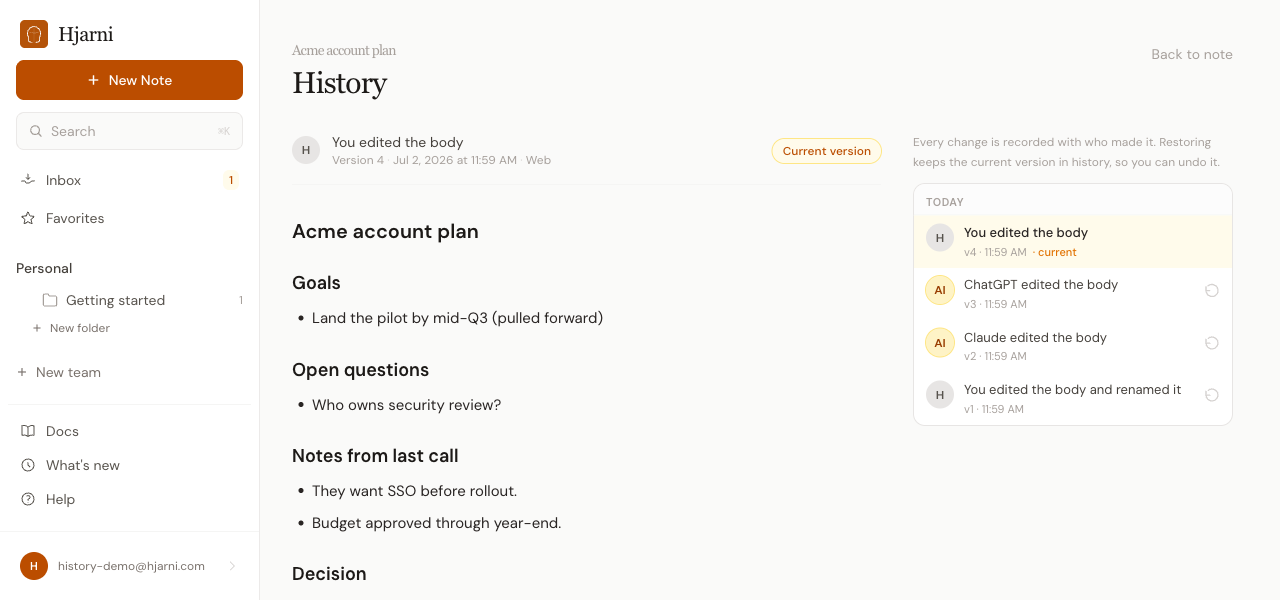
Every note now keeps an append-only history, and every revision is attributed to whoever made it.
- Provenance at a glance. Each note shows who last wrote it and when, with a badge that tells you apart from an AI agent at a glance. No more guessing whether that paragraph was you last Tuesday or Claude this morning.
- Full revision history. Open the history screen for any note to see every version in order, each with a plain-language summary of what changed and who changed it. Click any revision to read the note exactly as it stood at that point.
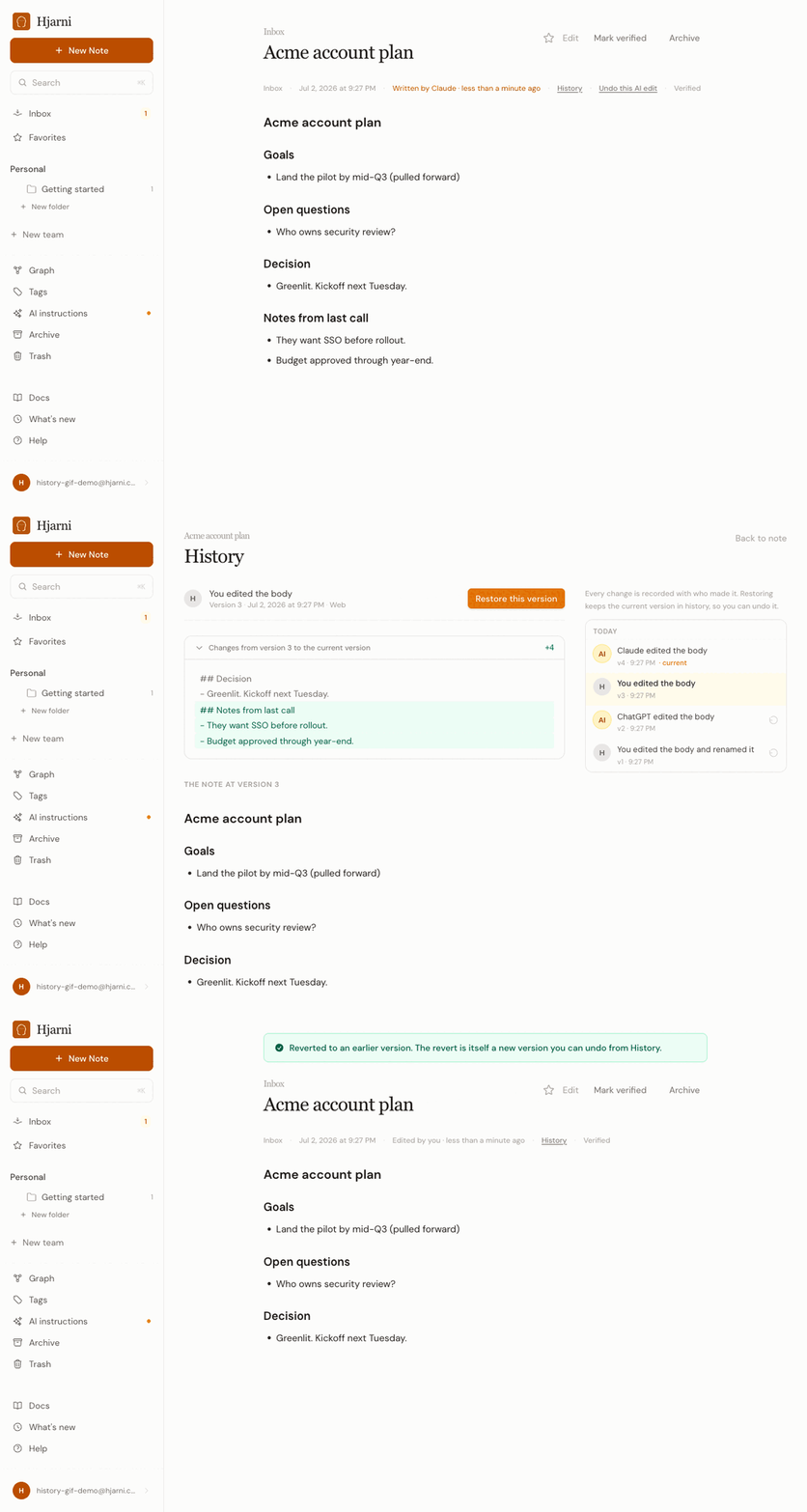
- One-click revert. Found a version you liked better? Revert to it. Reverting writes a new revision rather than erasing anything, so the history stays complete and you can always revert the revert.
Deletes are recoverable now
Deleting a note moves it to Trash instead of erasing it. Trashed notes stay restorable until they're purged, so a stray "delete that note" from an agent (or from you) is no longer the end of the story. Restore brings the note back exactly where it was.
For agents and integrations: history, revert, restore, and trash browsing are available everywhere, not just on the web.
- MCP gains
notes-history(list revisions or reconstruct one),notes-revert(roll a note back to a revision), andnotes-restore(un-trash).notes-listacceptsscope: "trashed", and any note read includes a provenance block and recent history so an assistant can tell you who last touched it. - The REST API mirrors this:
GET /notes/:id/history,POST /notes/:id/revert,GET /notes/trash, andPOST /notes/:id/restore. Revert accepts the sameexpected_lock_versionguard as a normal write, so a roll-back can't silently clobber a newer edit. See the API reference for the full shapes.
Every edit an assistant makes is now visible, attributable, and reversible. That's the whole point: write access you can actually trust.