The knowledge graph for Claude and ChatGPT
A knowledge graph
your AI can read.
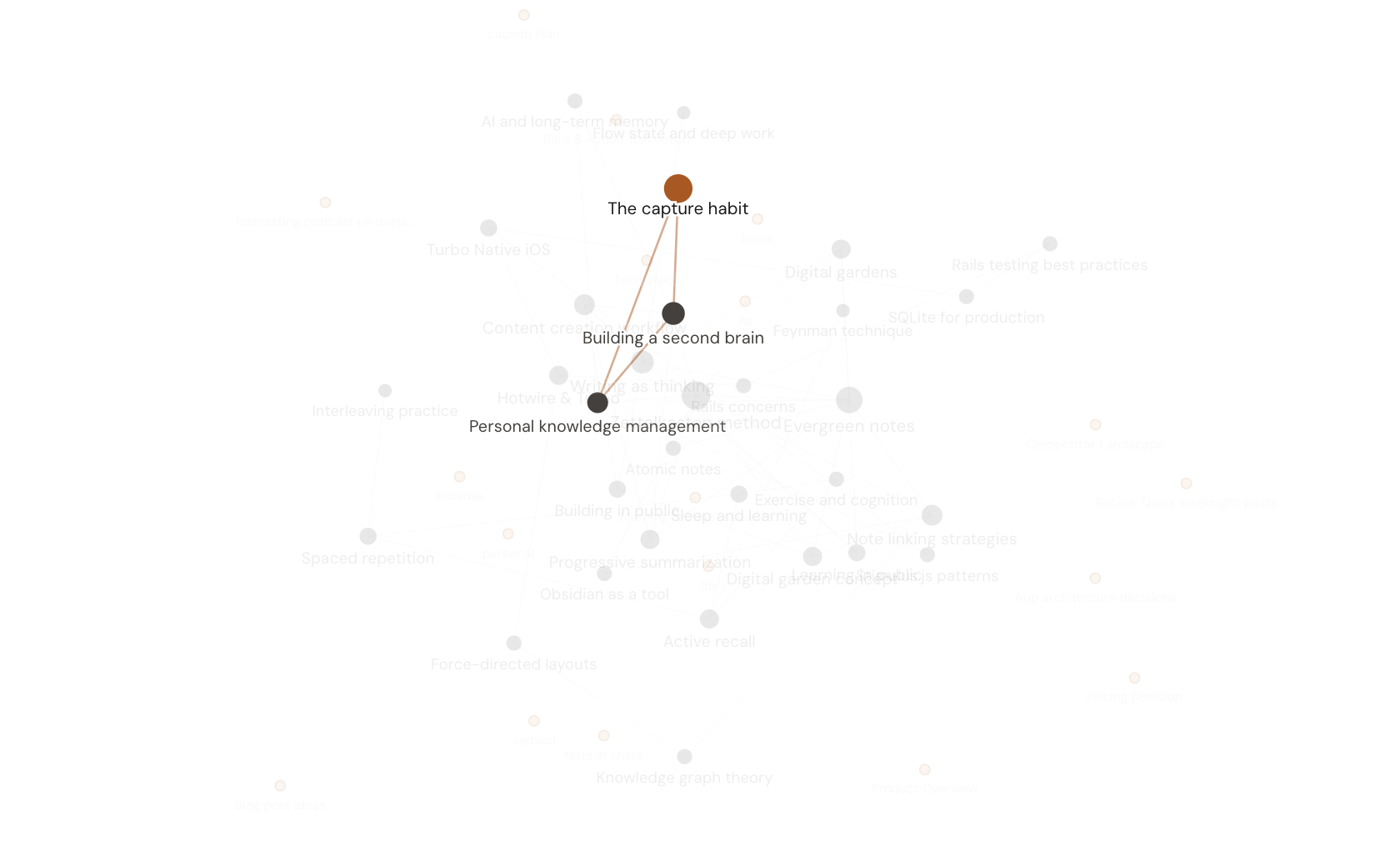
Link your notes and Hjarni draws the map. Every note is a dot, every wiki-link a line. You see how your knowledge connects. Connected Claude and ChatGPT clients can follow those links when you ask them to gather context.
Free to start. No credit card required.
The problem with folders
Folders make silos.
A meeting note sits in one folder but may relate to a person, a decision, and research elsewhere. Explicit links record those relationships alongside the folder structure.
When notes link to each other, a connected assistant can trace those relationships. Ask it to retrieve the project notes and follow relevant links to meetings, decisions, and sources.
The graph is that web of links, made visible. For you, and for your AI.
How it works
Link notes. See the map.
Wiki-links between notes build the graph. You write them, or your AI writes them for you.
Wiki-links, bidirectional
Write [[42:Note Title]] and both notes know about each other. Every note shows what it links to.
Your AI follows the trail
Through the official MCP server, compatible assistants can read a note's links and retrieve connected notes. Ask them to follow the relevant links and check the sources they used.
Hubs and orphans at a glance
The graph view makes hub topics stand out and shows orphan notes in amber, so you know what to connect next.
Not just a pretty picture
Linked notes. Context your AI can follow.
Compare how each app exposes linked notes, which assistants can reach them, and what permissions apply.
Obsidian graph
Obsidian stores linked Markdown files. Authorized local agents can use the files or official CLI, and community MCP bridges offer other connections. Compare Hjarni vs Obsidian.
Notion / Apple Notes
Notion offers official hosted MCP for its pages and databases. Apple Notes supports links between notes and separate integration paths. The links an assistant can follow depend on its connection, tools, and permissions.
Hjarni
A hosted graph of wiki-linked Markdown notes. Compatible assistants can retrieve connected notes through Hjarni’s official MCP server.
I wanted a cloud knowledge base I could use as memory for my AI, in plain Markdown, with read and write access. Nothing else fit. Hjarni did. What sold me was how light and well defined the MCP is. My AI used to choke when I pasted Markdown and config files into a chat. It reads them perfectly from Hjarni. The folder-level AI instructions and the knowledge graph are the parts I did not know I needed.
Common questions
Questions about the knowledge graph
What is a knowledge graph in Hjarni?
Your notes drawn as a map. Every note is a dot, every wiki-link a line. Hub topics stand out and orphan notes show in amber. It is a picture you can read and a structure your AI can traverse.
Can my AI actually read the knowledge graph?
Yes. Hjarni’s official MCP tools expose saved note links and related notes. A compatible assistant can follow those links when it calls the tools to gather context. Ask it to retrieve the relevant material and check the sources it used.
How is this different from the Obsidian graph?
Obsidian’s local Markdown and links can be accessed by permitted coding agents, its official CLI or community integrations. Hjarni exposes saved wiki-links and related notes through official hosted MCP. Compare where the notes live and how your chosen assistant connects.
How do I build a knowledge graph from my notes?
Link related notes with wiki-links like [[42:Note Title]]. Both notes then know about each other, and the graph fills in automatically. You can write the links yourself or ask your AI to add them as it creates and updates notes.
Do I need to be technical to use it?
No. Wiki-links are plain Markdown, and your AI can add them for you. The graph view is a single page in the app. There is nothing to configure.
Your notes on every device
Hjarni has its own native apps. Free on every plan for iPhone, iPad and Apple Silicon Mac and Android. Same account, same notes as the web. An internet connection is required.
Connect your thinking. Once.
Start linking notes today and watch the graph fill in. Free to start.
Free to start. No credit card required.