Most knowledge bases bolted on a chatbot. We started over.
Hjarni is a Markdown knowledge base with a built-in MCP server. Claude and ChatGPT read your notes, follow your instructions, and write back. AI is how you use the product, not a feature you toggle.
Free to start. No credit card. No bundled AI, you bring your own.
The shift
AI-embedded, or AI-native.
Most tools added a chatbot to an app built for you to read. We built the app for the agent to read.
| AI-embedded | AI-native |
|---|---|
| You chat in a sidebar | You chat in Claude or ChatGPT |
| The AI sees proprietary blocks | The AI reads plain Markdown |
| They pick the model | You pick the client |
| The AI drafts inside their app | The AI writes notes in your folders |
| Per-message costs in your bill | No AI costs in your bill |
| Memory is a profile you cannot open | Memory is notes you read, diff, and revert |
| Your notes live in their database | Your notes are files you can export |
The problem
Sound familiar?
Your AI starts from zero every conversation
You explain your stack, your customers, your conventions, every time you open a new chat. Nothing carries over.
Your notes were built for you, not the AI
Proprietary blocks, hidden databases, page builders. None of it survives the trip into a prompt, so the model never really sees your work.
The "AI feature" barely touches your data
The chatbot your tool ships does not see your structure, follow your rules, or write notes back into your folders.
What AI-native means
Built around the agent, not beside it.
Three things follow from designing the schema for a model to read end to end.
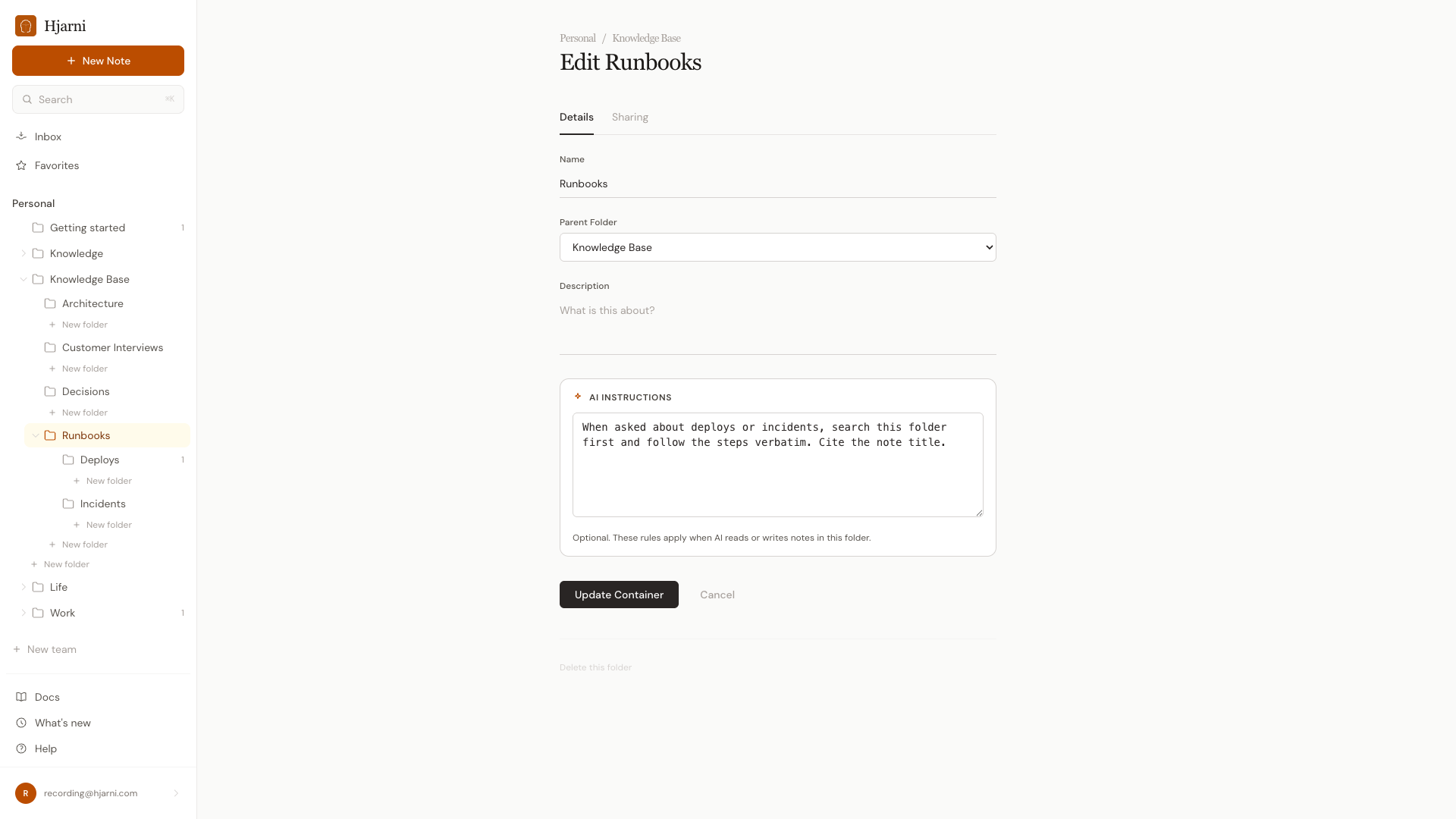
Per-folder instructions
Tell your AI how to work in each space. "Search this folder first and follow the steps." "Quote interviewees verbatim." The rules ride along with the data, so every conversation starts with the right context.
Your agent works while you sleep
Save a rough note from your phone. Ask Claude to find the related decisions and link them. Wake up to a folder of linked notes the AI wrote in your voice.
See it work
It reads your notes. Then it writes them back.
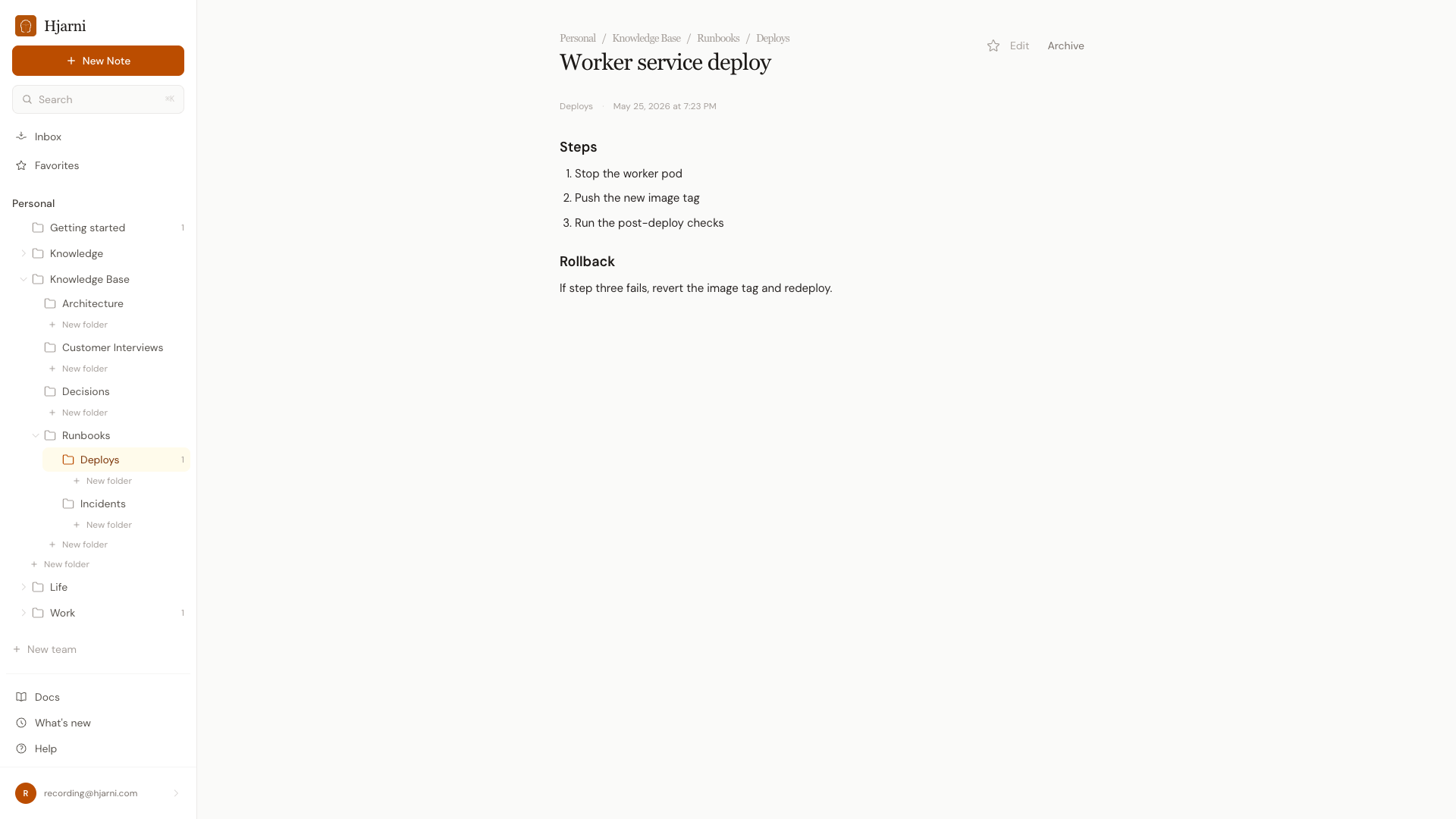
Claude answers from your runbook, then updates it when the process changes. Both directions, in your own client.
Claude
Team runbooks
You: How do we deploy the worker service?
Hjarni · Search · Runbooks
Claude: From "Worker service deploy" in Runbooks > Deploys: stop the worker pod, push the new image tag, then run the post-deploy checks. Rollback is at the bottom of the note if step three fails.
You: We now gate that behind a feature flag. Add it to the runbook.
Hjarni · Update Note · Runbooks
Claude: Done. I added a "Flag the release" step before the image push and linked it to the flag in Decisions. Your teammates' AI reads the new step from now on.
Read from the folder, then write straight back into it, no copy-paste.
I also compared a note app I used for structured documents. Its API is block level, so updating a 19 item checklist meant 19 separate calls. In Hjarni, Claude replaces a section, appends to a section, checks an item. The drop in call count was immediate and obvious. That is the single biggest difference. Hjarni is shaped the way an assistant actually edits a document.
What this is not
The constraint is the feature.
We left features out on purpose. Your AI can only read what your notes app is willing to expose.
Not a notes app with a chat bubble
The AI part is the MCP server that exposes your whole knowledge base to the model you already use, not a sidebar bolted onto the corner.
Not a vector database you feed
Nothing to embed or re-index. Write Markdown, organize it into folders, tag it. The model reads your structure directly, not a copy of it.
Not a wrapper around an LLM
You bring your own client. Hjarni gives the AI a memory; it never bundles a model or bills you per message.
Just Markdown, folders, and tags
No databases, no kanban, no page builders. A place to write, organize, and link, with the MCP server exposing all of it to your AI.
Get started
Give your AI a memory it can write to.
Start writing Markdown, connect the client you already use, and let it read and update your notes. Free to start, no bundled AI on the bill.
Common questions
Common questions
Is AI-native just marketing for AI-added?
The test is the schema. If the data model was designed before MCP existed and the AI was added later, the AI sees a sliver of it. Hjarni's schema was designed for an LLM to read end-to-end: notes are Markdown, folders are folders, tags are tags, links are wiki-links. Nothing proprietary.
Do I bring my own AI, or do you bundle one?
You bring your own. Hjarni gives the AI a memory; the AI itself is whichever client you use, like Claude, ChatGPT, Cursor, or Claude Code. No per-message costs in your Hjarni bill.
Can my AI actually write notes, or only read them?
Both. The MCP server exposes the full CRUD surface: create notes, update them, move them between folders, add tags, follow wiki-links. Your AI can populate a folder while you sleep.
What if the AI writes something wrong?
You will see it. Every edit becomes a version attributed to you or the specific assistant that made it, with a diff you can read and a one-click revert. Deleted notes sit in a recoverable Trash for 30 days. Write access without a visible, reversible trail would be a leap of faith; this is the opposite: memory you can read, memory that cannot silently vanish.
What about privacy?
Your notes are yours. The AI only reads what its MCP client asks for, scoped to the folders you grant. See the privacy page for the full picture.
How is this different from a vector database?
A vector database is something you have to feed. Hjarni is a knowledge base you write in. The model reads your structure directly, not an embedding of it.
Start here
Write once. You both remember.
25 notes free, forever. No credit card required.
Works with Claude, ChatGPT, Cursor and any MCP client.