Custom AI instructions
Tell your AI how to behave in specific parts of your knowledge base. Set conventions, styles, and rules. Your AI follows them automatically.
What AI instructions are
Instructions are rules you write in plain language. They're a style guide for your AI.
Your AI checks for instructions at multiple levels when it reads or writes notes. Different folders can have different conventions.
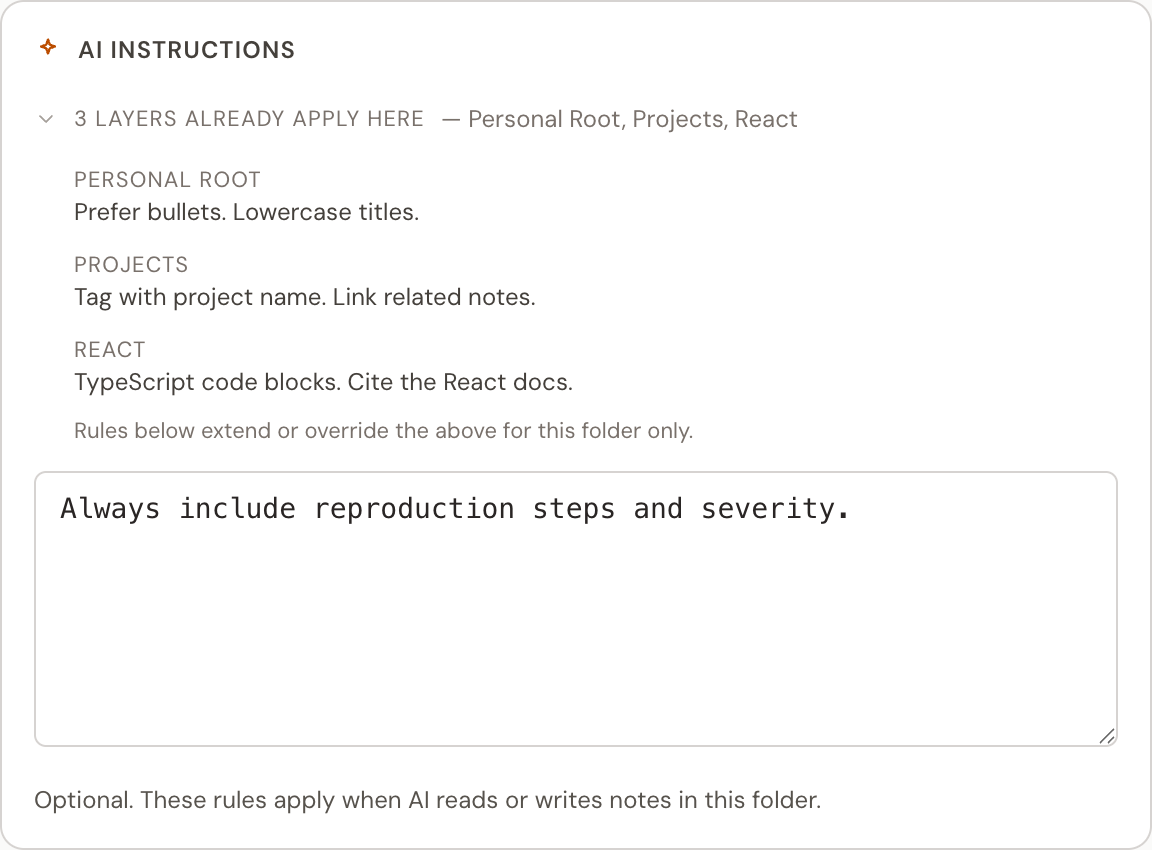
Where instructions apply
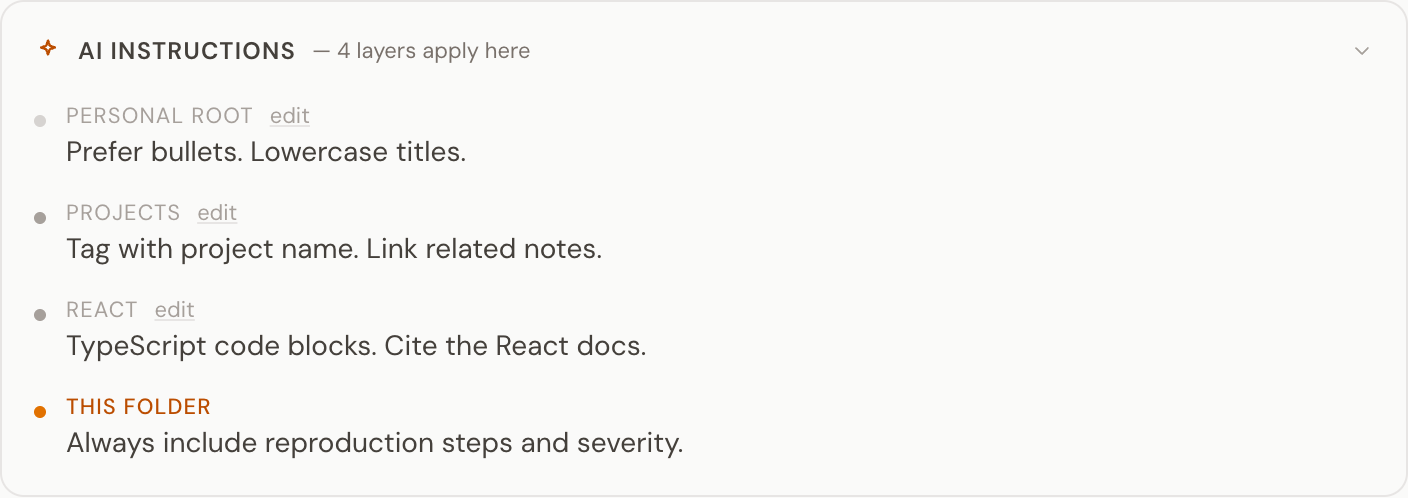
Instructions can be set at four levels, from broadest to most specific, plus one for a single agent:
Global defaults that apply everywhere. Set on the AI Instructions page, reached from the app sidebar.
Instructions for your personal knowledge base. Apply to all your personal notes and containers.
Shared instructions for a team's knowledge base. Apply to all the team's notes and containers, the way Personal does for yours. See teams and sharing.
Specific to one folder. Perfect for project-specific or topic-specific rules.
When multiple levels apply, the more specific instruction wins. In practice that means team or container rules should override broad defaults when there is a conflict.
Instructions for one agent
An agent token can have instructions of its own, such as what it is for and which folder to file into. Only that agent gets them. They sit between your account-wide AI instructions and the folder ones, and folder rules still win inside their folder. You can also keep your account-wide AI instructions from one agent, if they are written for your chat assistant and do not fit it.
Example instructions
Container: Recipes
"Format recipes with ingredients first, then steps. Use metric measurements. Tag all recipes with cuisine type."
Container: Team meetings
"Tag all meeting notes with team and project. Include action items as a checklist at the end. Link to relevant project notes."
Personal (global)
"Write concise summaries. Use Dutch for all notes in the Personal folder. Prefer bullet points over paragraphs."
Container: Research
"Include source URLs for every research note. Summarize key findings in the first paragraph. Link to related research notes."
Best practices
Keep instructions specific
"Use bullet points for meeting notes" is better than "make notes well-organized." Concrete instructions get better results.
Put them close to the content they govern
Container-level instructions are more useful than global ones. A recipe folder needs different instructions than a research folder.
Use them for conventions, not essays
Short, clear instructions work best. Write a few sentences, not a page. Your AI needs rules it can follow, not a manifesto.
Common questions
FAQ
Do instructions override global defaults?
More specific instructions should take priority. All levels are delivered to your AI together, stacked from global to specific, so a container's rules sit closest to the note and assistants follow them first.
Can different containers have different styles?
Yes. That's the point. Your recipes container can require metric measurements while your work notes container requires action items. Each container can have its own instructions.
Will ChatGPT and Claude both follow them?
Yes. Instructions are delivered through MCP, so any AI assistant connected to Hjarni will see and follow them.
Questions about instructions?
Email evert@hjarni.com
Give your AI a memory. Free.
Connect Claude or ChatGPT to notes they can actually read and write.
Give your AI a memory. Free.