Hjarni for Windows: an early build, and I want your feedback
There is now a Windows app for Hjarni. It is early. This is the first build, I have run it on exactly one PC, and I would rather hear what is wrong with it from you now than guess for another month.
So this post is not a launch. It is a request: download it, use it for a day, and tell me what breaks.
What it is
Hjarni is a Markdown knowledge base with a built-in MCP server, so Claude and ChatGPT can read and update the same notes you do. Until now, on a PC, that meant a browser tab.
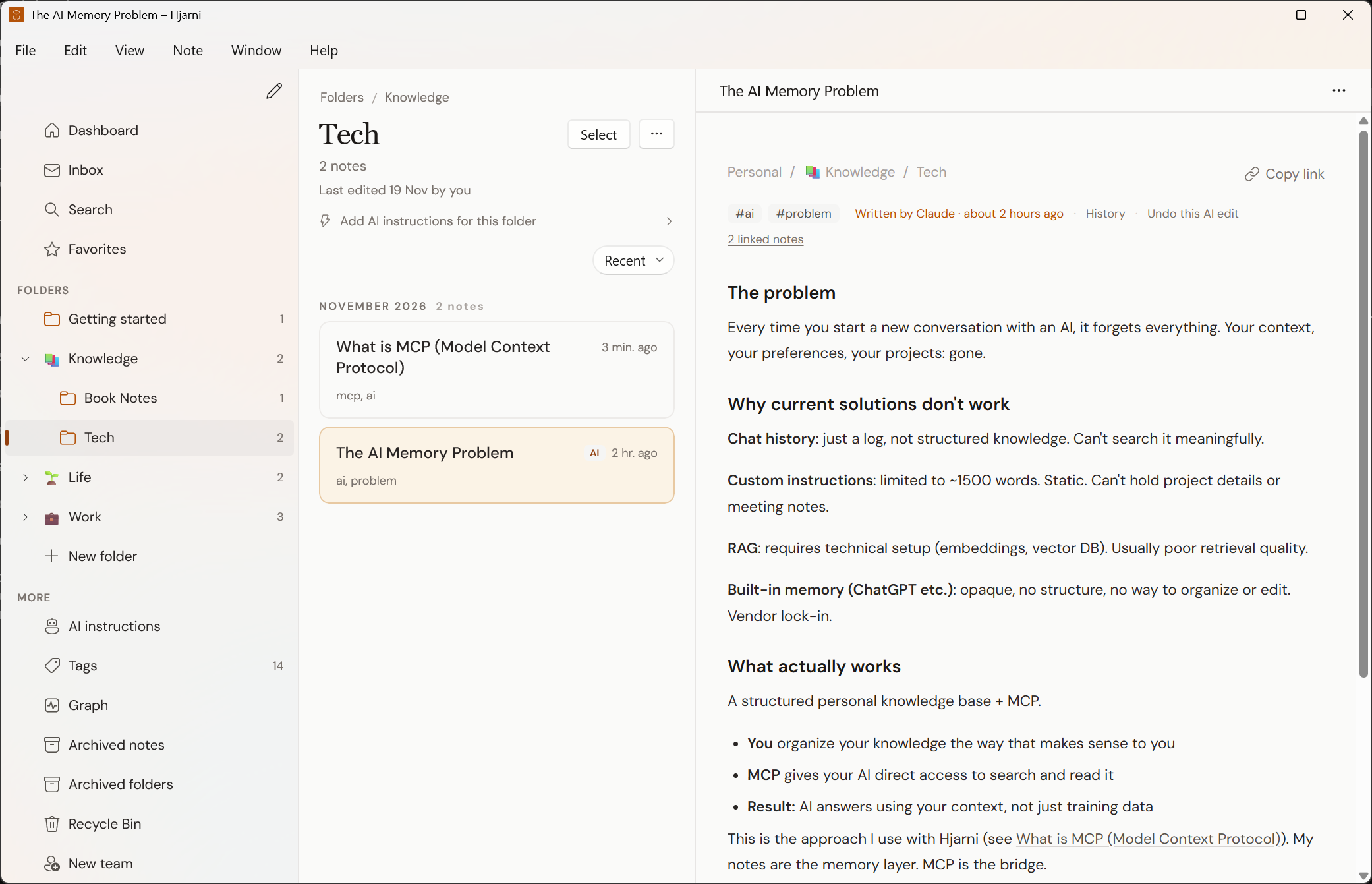
The Windows app is the same Hjarni in a window of its own. Same account, same notes, same folders. What it adds is the shape of a desktop app:
- A sidebar that stays put. Dashboard, Inbox, Search, Favorites and your folders, always there.
- The note beside its list. Pick a folder, its notes are listed, and the note you click opens next to the list. Up and Down step through the notes.
- Keyboard shortcuts. Ctrl+N for a new note, Ctrl+K to search, Ctrl+1 to Ctrl+5 for Dashboard, Inbox, New note, Search and Settings.
- Right-click menus. Open, open in a new window, move, archive, delete, copy link, share.
- More than one window. Put a note in its own window. Your windows come back where you left them the next time you start the app.
When you switch back to the app, the lists refresh, so notes your AI wrote in the meantime are there.
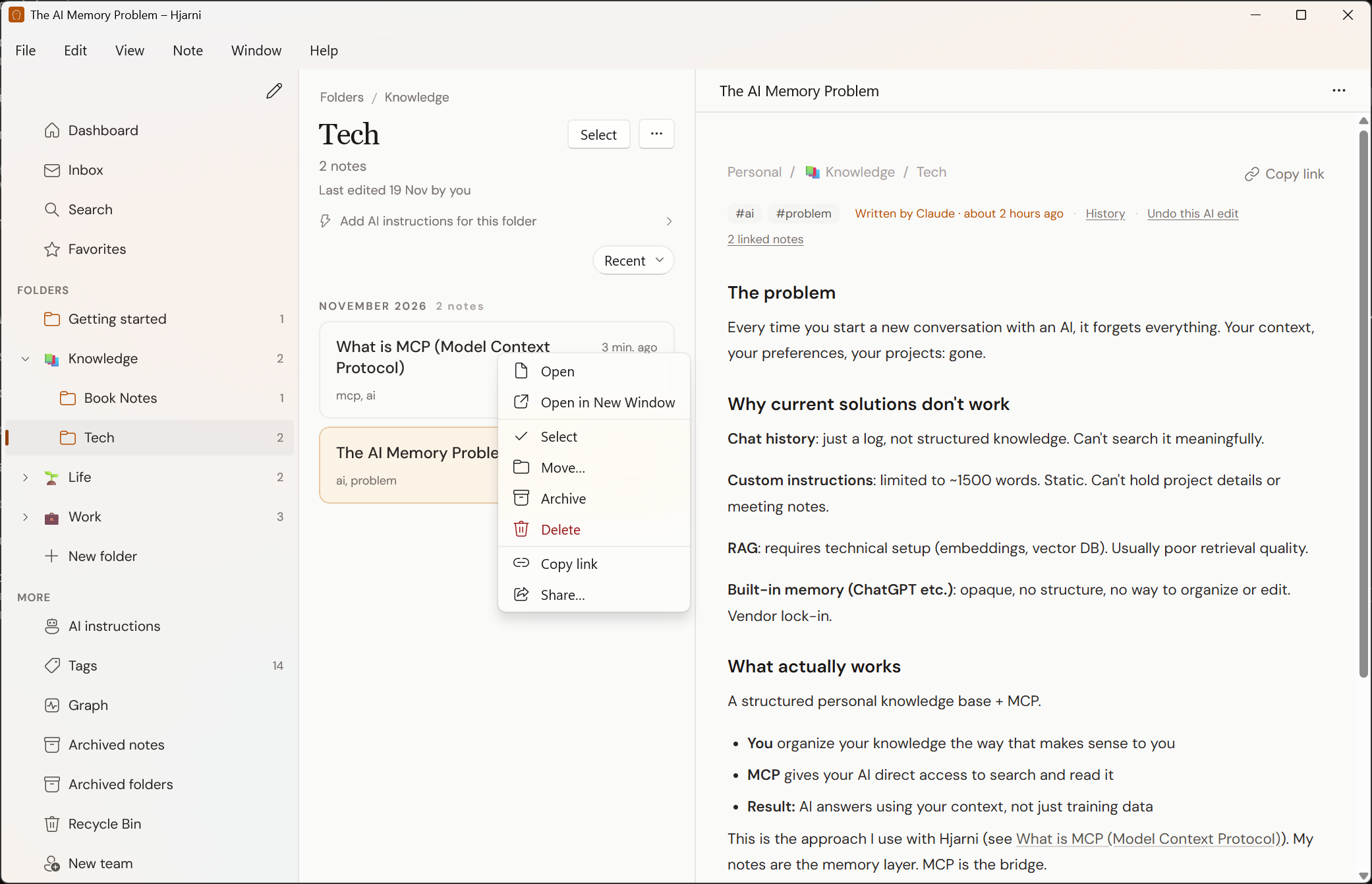
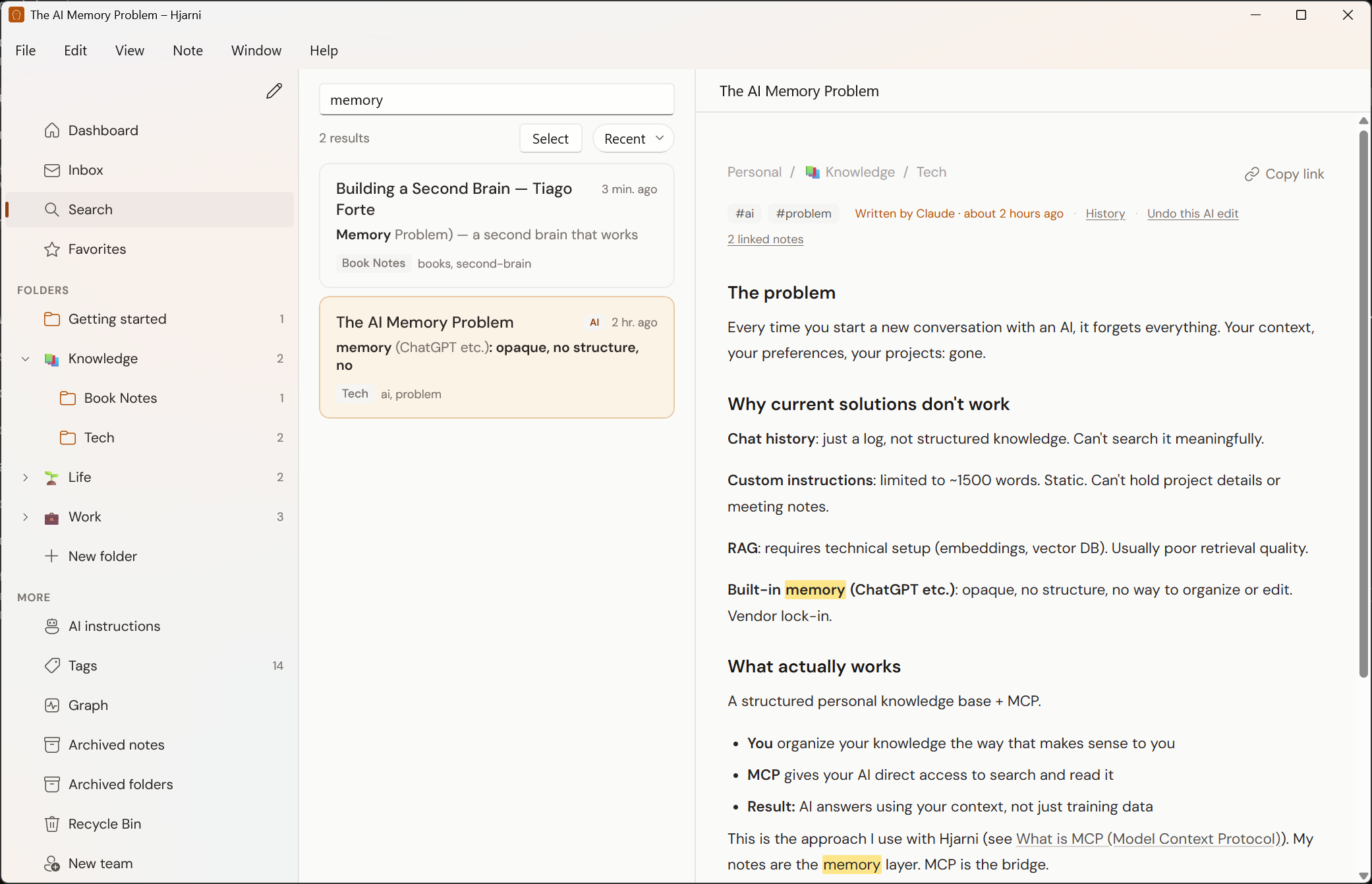
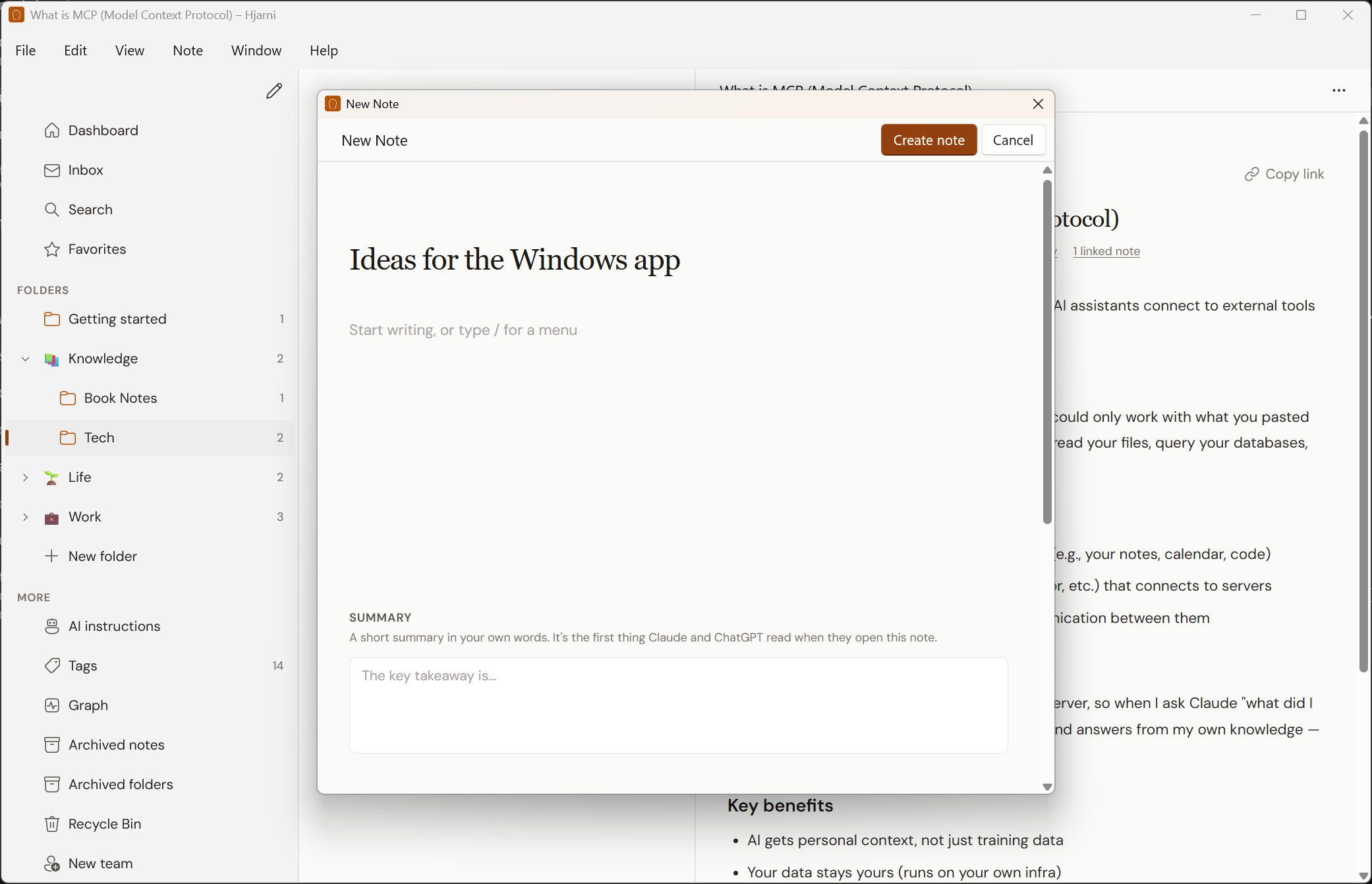
The sidebar and the lists are native Windows controls. The note itself is the same page and the same editor as on the web, shown inside the window. The full list of shortcuts and menus is in the Windows app docs.
What "early" means here
I would rather you know this before you install than find out after.
Windows will warn you. The installer is not code signed yet. Windows shows a blue "Windows protected your PC" screen. Click More info, then Run anyway. That screen goes away once the app is signed, which is on the list.
It updates itself, so fixes reach you. The app looks for a newer build every few hours and offers to restart into it. Help › Check for Updates looks straight away. If you were sent one of the first two builds (0.1.0 or 0.1.1), download it again once: those two cannot update themselves.
It has been tested on one PC. Windows 11, one screen, 150% scaling. On that PC I went through signing in (email and password, Google, Apple and a passkey), the sidebar, the lists, opening and editing notes, new notes and folders, search, and installing and uninstalling.
Intel and AMD only. There is no installer for Arm PCs yet.
It needs a connection. The app reads and writes your live knowledge base, not a copy on the PC. No offline mode.
It is not in the Share panel. Windows only lists apps there that are installed as a package, the way Microsoft Store apps are, and this is a direct download. Ctrl+N covers a quick note, and the Web Clipper saves articles from Chrome and Edge.
What it does to your PC
Fair question for an unsigned app from one developer.
It installs for your Windows user only, with no administrator prompt, and adds a Start menu entry. Uninstalling removes the app and everything it stored. Your notes live on hjarni.com, so there is nothing to lose.
If the app crashes, it sends me a crash report. The report has no account, no user name and no note content in it.
Try it
- Download Hjarni for Windows. It is free. You need Windows 10 version 1809 or later, or Windows 11, on a 64-bit Intel or AMD PC.
- Run the installer. Click More info, then Run anyway, on the blue warning.
- Sign in with the account you already have, or make one. Hjarni is free to start.
Tell me what breaks
Email evert@hjarni.com. I read every one. A useful report is short:
- Your Windows version, and your scaling if you know it (Settings, System, Display)
- What you did
- What you expected, and what happened instead
- A screenshot if it is something you can see
It does not have to be a bug. "I looked for X and could not find it" and "this felt slow" are just as useful. So is "it all worked on Windows 10", because nobody has told me that yet.
The apps for iPhone, iPad, Android and the Mac are further along. They are all on one page.
Give your AI a memory. Free.
Connect Claude or ChatGPT to notes they can actually read and write.
Give your AI a memory. Free.
Common questions
FAQ
Is Hjarni for Windows finished?
No. It is the first build. It has been run on one PC with Windows 11. It is shared early on purpose, to hear what breaks on other PCs.
Why does Windows warn me when I run the installer?
The installer is not code signed yet, so Windows shows a blue Windows protected your PC screen. Click More info, then Run anyway. Signing is on the list.
Does the Windows app update itself?
Yes, from build 0.1.2 on, which is the one the download link gives you. The first two builds, 0.1.0 and 0.1.1, cannot: if you have one of those, download the app again once and run the installer over the old one.
Which PCs does it run on?
64-bit PCs with an Intel or AMD processor, on Windows 10 version 1809 or later, or Windows 11. There is no installer for Arm PCs yet.
Is it a separate copy of my notes?
No. It is the same Hjarni account and the same notes. The app needs a connection, because it reads and writes your live knowledge base rather than a copy on the PC.