Getting started with Hjarni
Hjarni works best when you treat it as a Markdown knowledge base first and an AI integration second. Start with a simple structure, then connect ChatGPT or Claude once the model makes sense.
Quick answer
To get started with Hjarni: create a few Markdown notes in a simple folder structure, then connect the AI you already use (ChatGPT, Claude, or any MCP client) to Hjarni's built-in MCP server so it can search, read, and write those notes. Treat Hjarni as the knowledge base first and the AI integration second: set up structure, then connect the model once it makes sense.
Start with the right mental model
Hjarni stores the knowledge
Your notes live in Hjarni as Markdown, with containers, tags, links, instructions, and files.
ChatGPT and Claude are interfaces
They read and write through MCP. They do not become your storage layer or your permanent memory by themselves.
That distinction matters. If something should be available later, save it as a note. If it should shape future AI behavior, save it as an instruction.
Your first 10 minutes
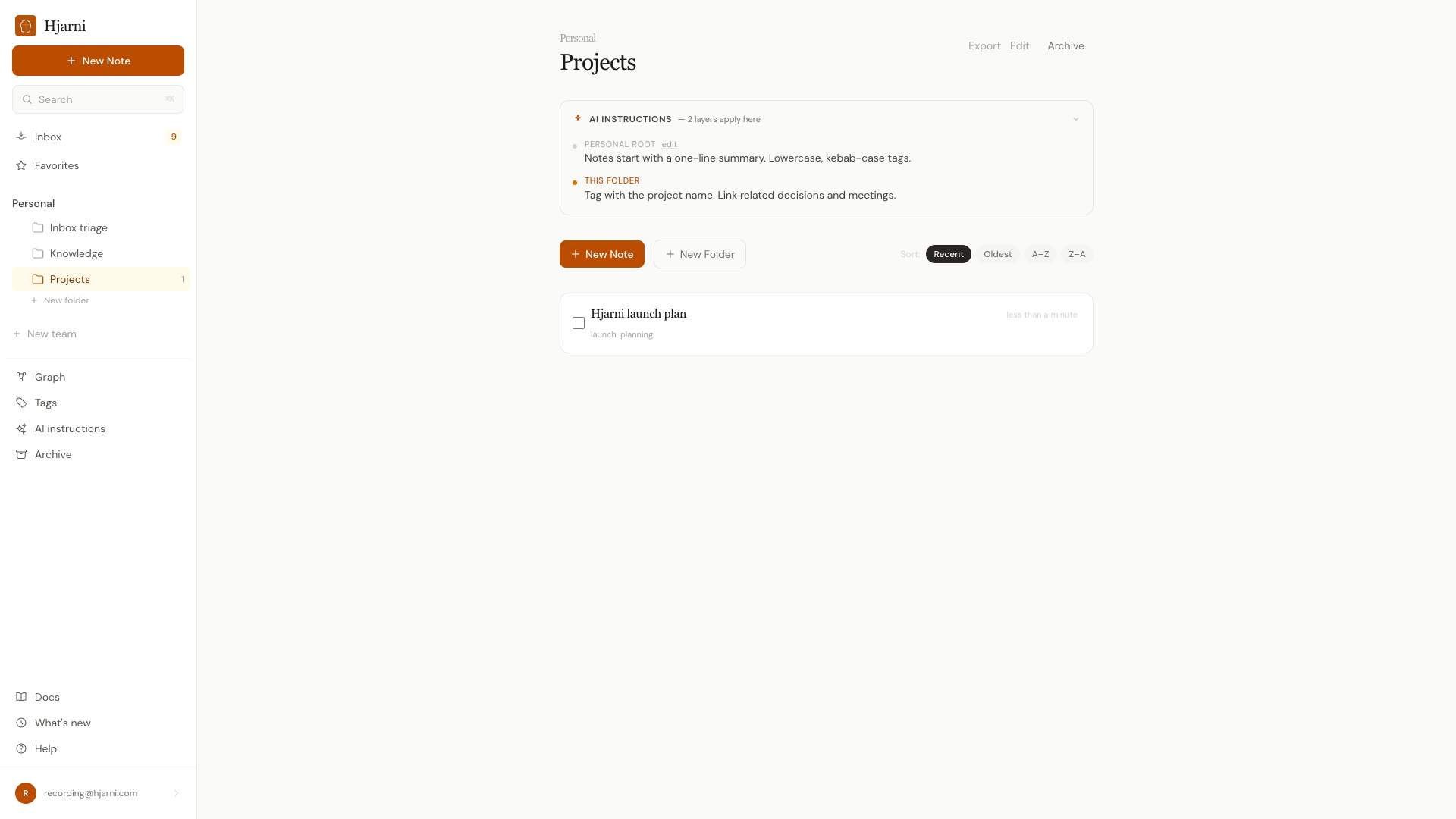
- Create 3 to 5 top-level containers for how you actually work, not how you wish you worked.
- Add one note to each important area instead of building a huge folder tree first.
- Pick a small set of reusable tags like
idea,meeting,research, ordraft. - Add one short AI instruction for your most important container.
- Only then connect ChatGPT or Claude.
Connect the assistant you already use
ChatGPT
Install Hjarni from the ChatGPT Apps Directory in one click, or add it by hand in developer mode. Both end in the same OAuth sign-in.
Claude
Install Hjarni from the Claude Connectors Directory for Claude.ai, Claude iOS and Claude Desktop. Claude Code connects with one claude mcp add command instead.
If you're building your own integration instead of connecting an assistant, skip the setup guides and go straight to the REST API or MCP reference.
Good defaults that age well
Use containers for where a note belongs
Projects, areas, teams, and long-lived domains should usually be containers.
Use tags sparingly and consistently
Statuses and recurring themes make good tags. Avoid creating a new tag for every tiny variation.
Link notes when they are meaningfully related
Links help your AI trace decisions, meetings, research, and source material across containers.
Keep instructions short and operational
Tell the assistant what to include, how to format, and which tags or links matter.
Common mistakes to avoid
- Connecting an assistant before deciding on even a basic note structure.
- Creating a deeply nested folder tree before you have actual notes to place in it.
- Using tags and containers interchangeably.
- Expecting the assistant to remember things you never saved to Hjarni.
- Writing vague instructions like “organize things well” instead of concrete rules.
Related docs
Need help getting set up?
Email evert@hjarni.com
Give your AI a memory. Free.
Connect Claude or ChatGPT to notes they can actually read and write.
Give your AI a memory. Free.