Name your assistant sessions
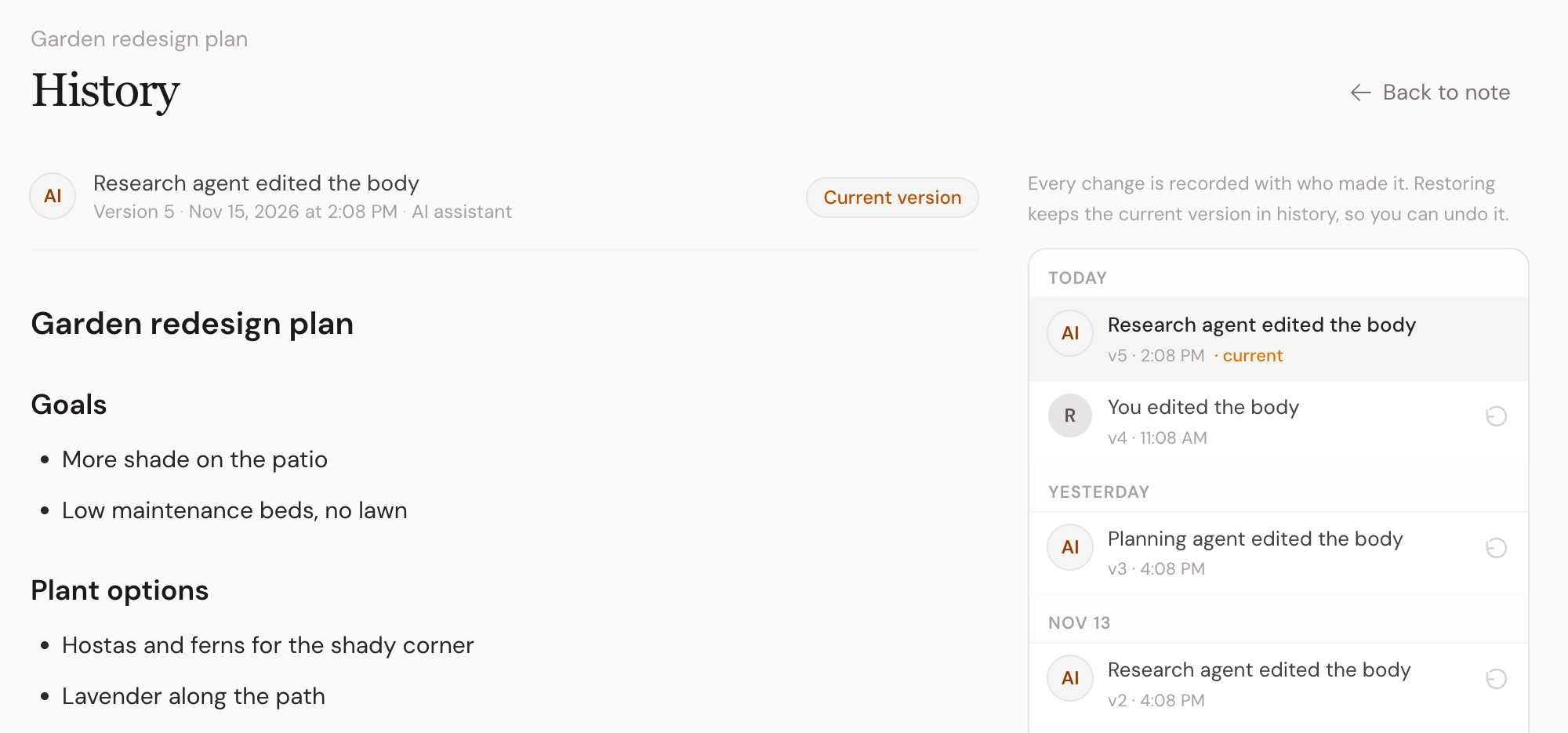
Note history always told you whether you or your AI made a change. But if you run more than one assistant, every edit just said "Claude" or "ChatGPT".
Now you can give each session a name.
Name a session in Settings. Open Settings > Connections, click Edit on a Claude or ChatGPT session, and type a name. Research agent, Writing assistant, Claude on my laptop: whatever tells them apart for you.
See who wrote what. Every edit that session makes from then on shows under its name, in note history and on the note page. On the web and in the apps.
Built for a team of agents. A customer running several Claude sessions side by side asked for this. If one of them gets something wrong, you can now see which one, and undo its edit from history.
A few things to know. Edits made before you named a session keep the name they had. If you disconnect and reconnect an assistant, that makes a new session, so name it again.
Live now for everyone, on every plan. Want an agent to reach only some of your folders? Agent tokens do that. Something feels off? Email evert@hjarni.com or use Help & feedback in the account menu.