Containers and tags
Containers give your notes structure. Tags give them cross-cutting labels. Together they make your knowledge base easy to navigate, for you and your AI.
What containers are
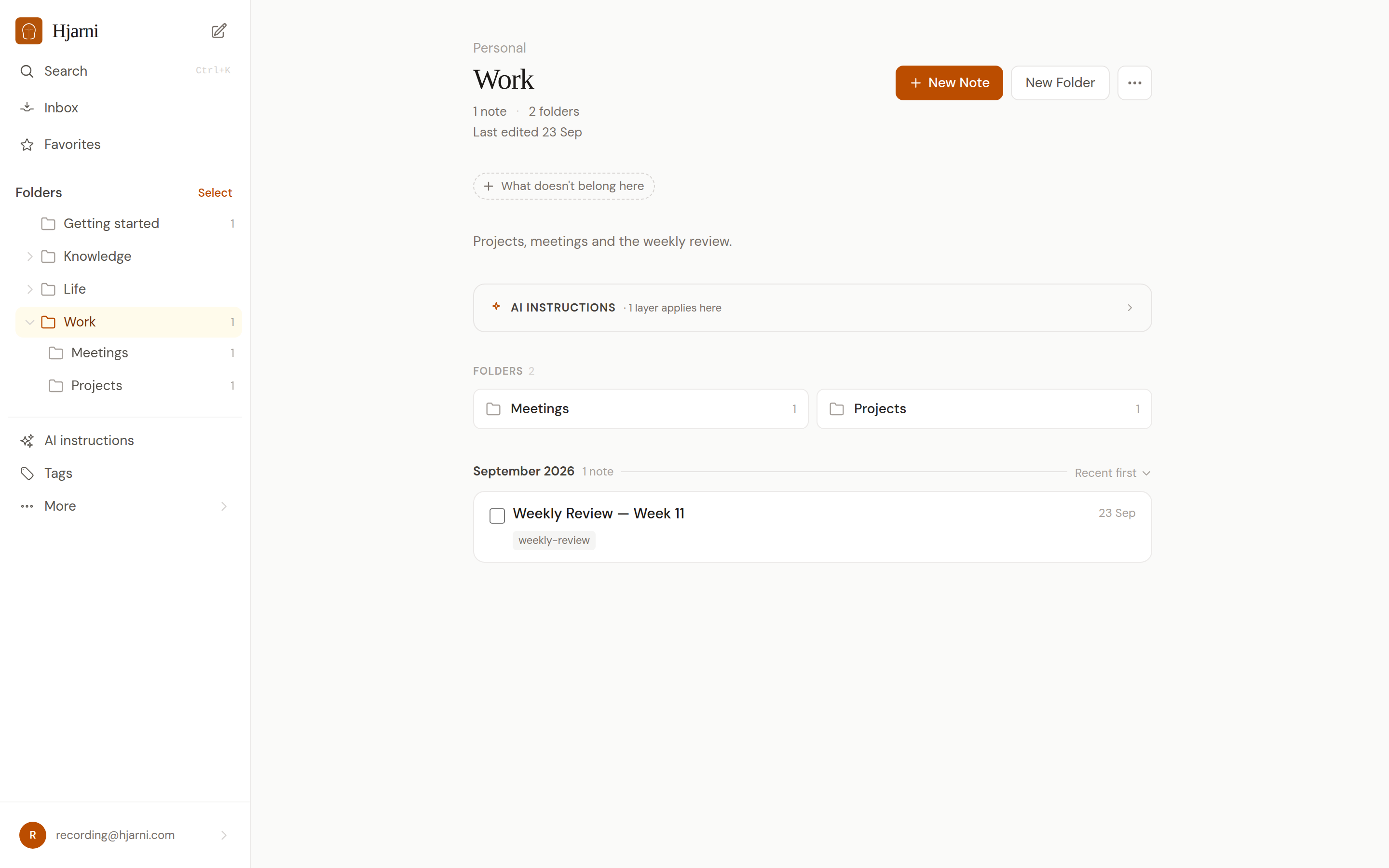
Containers are folders for your notes. They define where a note lives. A note belongs to one container (or sits in the inbox if unorganized).
Containers can be nested. For example:
Projects
Hjarni
Growth
Engineering
Side projects
Personal
Reading
Recipes
Each container can have its own AI instructions, so your AI behaves differently depending on context.
A container can also say what does not belong in it, for example "no meeting notes, those live in Inbox." Your AI reads it and files those notes elsewhere.
When to use each
Use containers when
- Notes belong to a project or area
- You want a folder tree structure
- You need different AI instructions per area
- You want to share a section with a team
Use tags when
- A label applies across multiple containers
- You want to filter notes by topic or status
- You need a note to have multiple categories
- You're tracking a theme (e.g., "research", "idea")
The simple distinction: containers = structure, tags = cross-cutting labels.
Best practices
Prefer the most specific relevant container
Put a note about Hjarni SEO in Projects > Hjarni > Growth, not just Projects. The more specific the placement, the better the context for your AI.
Reuse tags before inventing new ones
Check your existing tags before creating a new one. Five well-used tags are more valuable than fifty rarely-used ones.
Avoid near-duplicate tags
Don't create both "meeting" and "meetings". Pick one and stick with it. You can merge duplicate tags from the tag page.
How AI uses containers and tags
When your AI creates or organizes notes, it reads your containers and tags:
- It places new notes in the most relevant container based on content
- It reuses existing tags rather than inventing new ones
- It reads container-level instructions to follow your conventions
- It can filter searches by container or tag to narrow results
Common questions
FAQ
Should I organize by folders or tags?
Use both. Containers for structure (projects, areas), tags for cross-cutting themes (status, type). A note about an SEO idea for Hjarni goes in the Hjarni > Growth container and gets tagged "seo" and "idea".
Can notes have multiple tags?
Yes, unlimited. A note can have as many tags as you need.
Can AI create tags?
Yes. Your AI assistant can create new tags and assign them to notes. You can guide this behavior with AI instructions.
Questions about organization?
Email evert@hjarni.com
Give your AI a memory. Free.
Connect Claude or ChatGPT to notes they can actually read and write.
Give your AI a memory. Free.