Notes in Markdown
Hjarni stores notes as Markdown. Simple, portable, and readable by both you and your AI.
What a note is
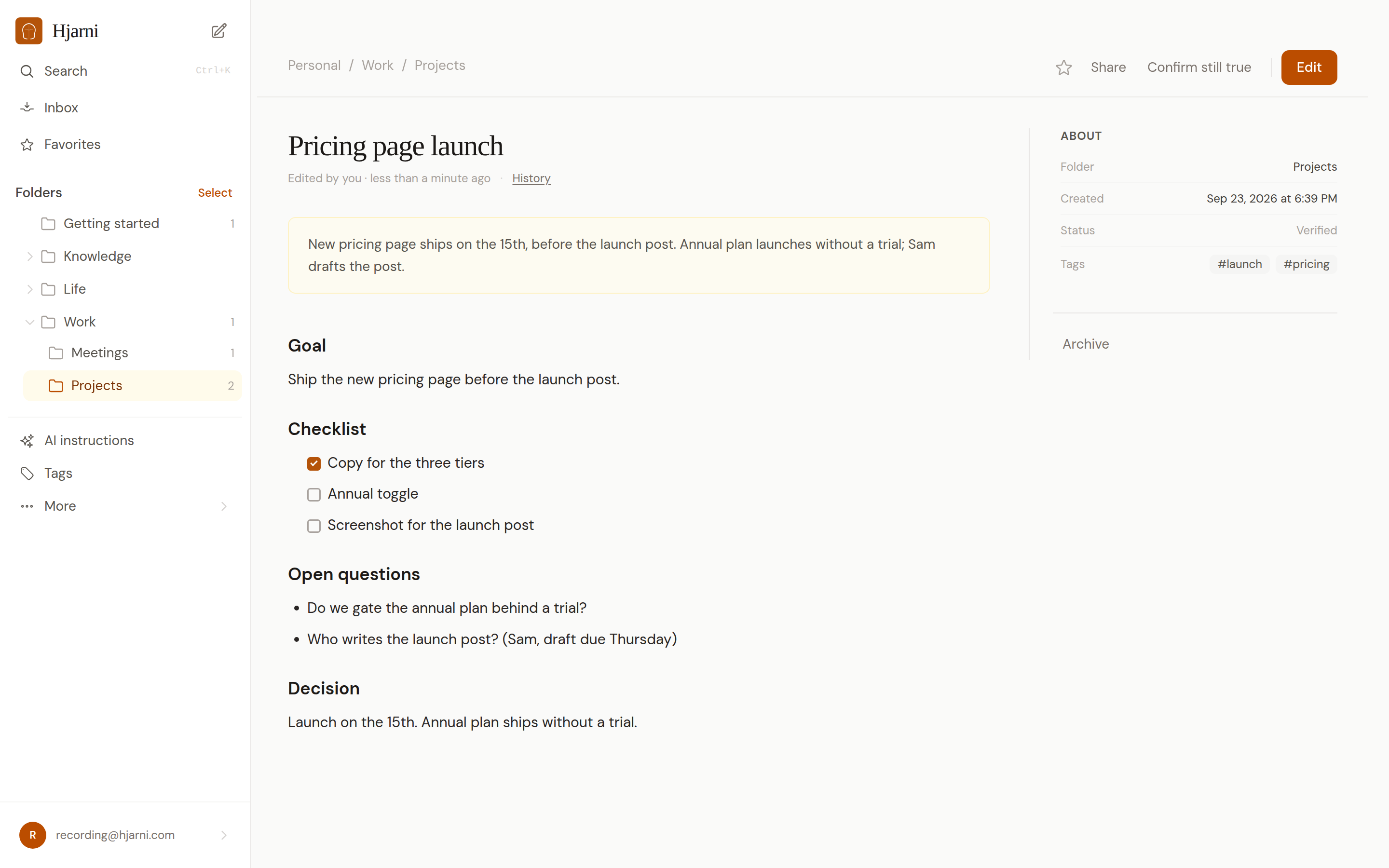
A note has a title and a body written in Markdown. It can also have a summary, a source URL, tags, links to other notes, and file attachments.
You can put it in a container, tag it, and link it to other notes with wiki-links.
Keep notes small and focused. One idea, one meeting, one article summary. One note.
Why Markdown
Portable
Markdown is plain text. You can open it anywhere, move it anywhere, and it will always be readable.
AI-friendly
AI models understand Markdown natively. No conversion needed. What you write is what your AI reads.
Structured enough
Headings, lists, links, and code blocks give you all the structure you need without a complex editor.
No lock-in
Your notes are never trapped in a proprietary format. Export everything as Markdown in a ZIP.
What a note can contain
Organize content with #, ##, ### headings.
Bullet lists, numbered lists, and task lists with checkboxes.
Standard Markdown links to external URLs.
An optional short summary for quick scanning, search results, and AI-friendly context.
A canonical source link for articles, references, docs, or anything captured from elsewhere.
Link to other notes with [[42:Note Title]] syntax for the most reliable linking, where 42 is the note's numeric ID. See wiki-links.
Attach images, PDFs, and other files to any note. Free includes 20 MB across five attachments in personal notes. See file attachments.
Add cross-cutting labels for filtering. See containers and tags.
Every note shows whether it is active, stale, or retired, so Claude and ChatGPT can tell a confirmed note from one that may be outdated. Mark a note verified to reset it. Claude or ChatGPT can also give a note a review date so it flags itself on a deadline.
Version history
Every content edit is recorded as a version, attributed to whoever made it. Each note shows who last wrote it, with a badge that tells you apart from an AI assistant at a glance.
Open a note's history to see every version in order, each with a plain-language summary of what changed and who changed it. Click any version to read the note as it stood then, or revert to it in one click. Reverting writes a new version rather than erasing anything, so the history stays complete and you can undo the revert.
Deleting a note is recoverable too: it moves to Trash, keeps its links, attachments, and full history, and stays restorable for 30 days before it is permanently purged.
This matters most when AI edits your notes. You always see exactly what changed, and nothing an assistant does is irreversible.
Note history and Trash covers provenance, reverting, and the recoverable 30-day Trash in full.
Common questions
FAQ
Why Markdown instead of blocks?
Block editors create proprietary formats that trap your data. Markdown is plain text. Every AI model reads it natively. You can take your notes anywhere.
Can I export my notes?
Yes. You can export all your notes as Markdown files in a ZIP archive at any time. See export and data ownership.
Can AI preserve my formatting?
Yes. Because Hjarni uses Markdown, AI assistants can read and write the same format. Your headings, lists, and links stay intact when AI edits a note.
Have a question about notes?
Email evert@hjarni.com
Give your AI a memory. Free.
Connect Claude or ChatGPT to notes they can actually read and write.
Give your AI a memory. Free.